The Plan Plate website showcases the Plan Plate app, helping users understand its features and benefits.

It has a simple, user-friendly design guides visitors through how the app works, who made it, and why it’s useful.

The site also connects users through social media and shared meal planning tips, making healthy eating easy and fun.

Project Overview​​

Problem Statement:

Many potential users struggle to find clear, engaging information about meal-planning apps on websites, leading to hesitation in downloading and using these apps.


Value Propositions:

  • Provide a comprehensive overview of the Plan Plate app.
  • Engage users with visually appealing and informative content.
  • Ensure a seamless user experience that encourages app downloads.
The Process

Our team of 3 followed a Double Diamond approach based on the Design Thinking methodology.

It was not a linear path; we bounced between stages as the project progressed.

Discover

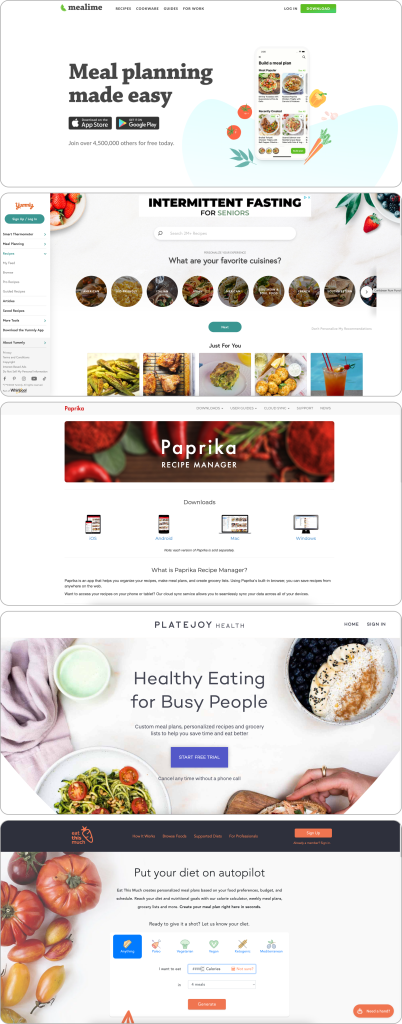
Competitive Analysis


 We started our work by analyzing competitors to understand the needs of the market better and identify opportunities for improvement.

 This helped us shape the Plan Plate website to meet user expectations and stand out from the competition effectively.

Competitor 1: Mealime

  • Strengths: Clean design, clear call-to-action.
  • Weaknesses: Lacks detailed app feature descriptions.


Competitor 2: Yummly

  • Strengths: Comprehensive content, appealing visuals.
  • Weaknesses: Overwhelming amount of information on the homepage.


Competitor 3: Paprika

  • Strengths: User-friendly recipe management, and seamless grocery list creation.
  • Weaknesses: Limited dietary plan options, paid app.


Competitor 4: PlateJoy

  • Strengths: Personalized meal plans, and integration with grocery delivery.
  • Weaknesses: Subscription is required for most features.


Competitor 5: Eat This Much

  • Strengths: Automated meal planning, and customizable dietary options.
  • Weaknesses: Limited free features, can be overwhelming for new users.

Survey:

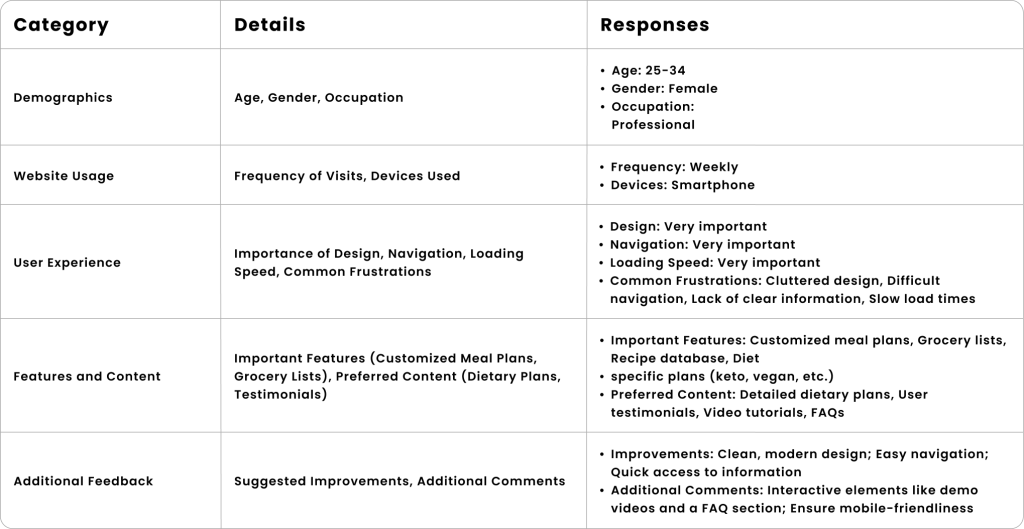
To better understand the needs and preferences of potential users, we conducted a survey focusing on various aspects of meal-planning websites.

The survey gathered responses on demographics, website usage, user experience, desired features, and content preferences.


User Interview Insights:

We conducted interviews with 9 potential users to ensure the Plan Plate website meets user needs and expectations.

Here are key insights and suggestions from 4 of those interviews:


Interviewee: Ali – Freelance Graphic Designer

Feedback: “I often look for meal planning solutions online but find most websites cluttered and hard to navigate.”

Suggestions:

  • Clearly explain the app’s features.
  • Provide an easy path to download the app.
  • Use screenshots or demo videos.
  • Include a FAQ section.
  • Ensure intuitive navigation.


Interviewee: Sarah – Busy Professional

Feedback: “I need a meal planning app that’s easy to use and quick to understand.”

Suggestions:

  • Highlight time-saving features on the homepage.
  • Include testimonials or reviews.
  • Ensure fast load times and mobile-friendliness.
  • Use clear call-to-action buttons.


Interviewee: Lila – Health Enthusiast

Feedback: “I want to see how the app meets specific dietary needs.”

Suggestions:

  • Detail different dietary plans supported.
  • Show success stories or case studies.
  • Offer an interactive demo or free trial.
  • Use a clean, modern design.


Interviewee: Niloo – Fitness Enthusiast

Feedback: “I need an app that integrates with my fitness routine.”

Suggestions:

  • Provide information on fitness support features.
  • Highlight unique app features.
  • Use comparison charts or feature lists.
  • Include a blog or resource section for tips

Top Insight:

This information summarizes key insights from our competitive analysis, survey, and user interviews.

These insights will guide the design and development of the Plan Plate website, ensuring it is user-friendly,

engaging, and clearly communicates the app’s benefits.

User Interface:

  • Clean Design: Users appreciate a clutter-free, visually appealing design.
  • Modern Design: A clean, modern interface is important.
  • Fast Load Times: Ensuring quick loading is crucial for retaining user interest.   

Feature Clarity

  • Clear Call-to-Action: Clear instructions on what to do next.
  • Feature Descriptions: Detailed explanations of app features help users understand benefits.
  • Visual Elements: Screenshots or demo videos enhance feature clarity.

User Engagement

  • User Testimonials: Positive reviews build trust and credibility.
  • Success Stories: Case studies and user stories motivate and engage users.
  • Community Interaction: Links to social media and community events foster engagement.

Accessibility and Usability

  • Intuitive Navigation: Users need a straightforward and intuitive website structure.
  • Mobile-Friendliness: A responsive design ensures usability on different devices.
  • Fast Load Times: Users expect quick load times to keep them engaged.

Content and Resources

  • Dietary Plans: Detailed information on supported dietary plans.
  • FAQ Section: Answers to common questions improve user satisfaction.
  • Educational Content: Blogs or articles offering tips and advice are valued by users.
Define

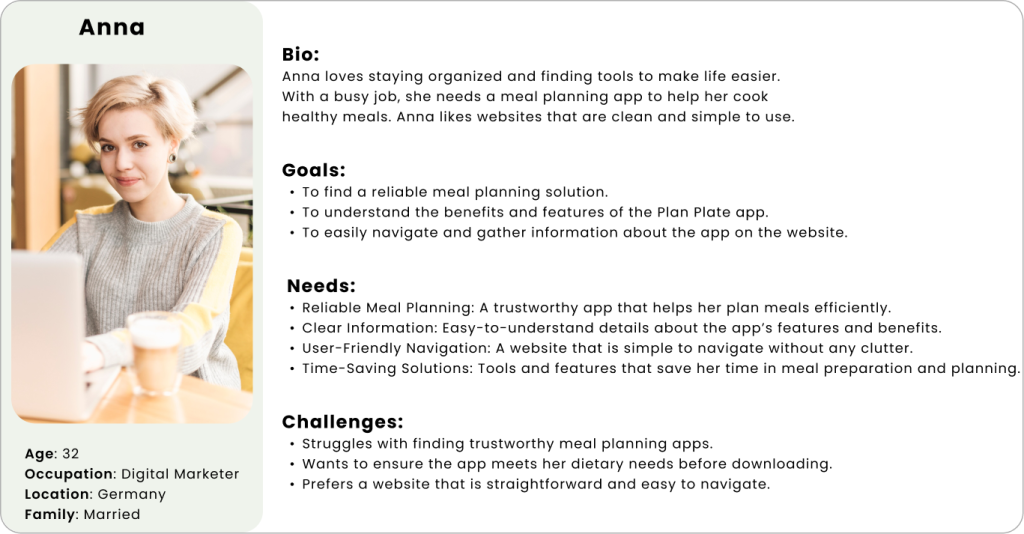
Persona

After conducting interviews and analyzing the needs and challenges of our users, we designed a persona to guide us through the app development process.

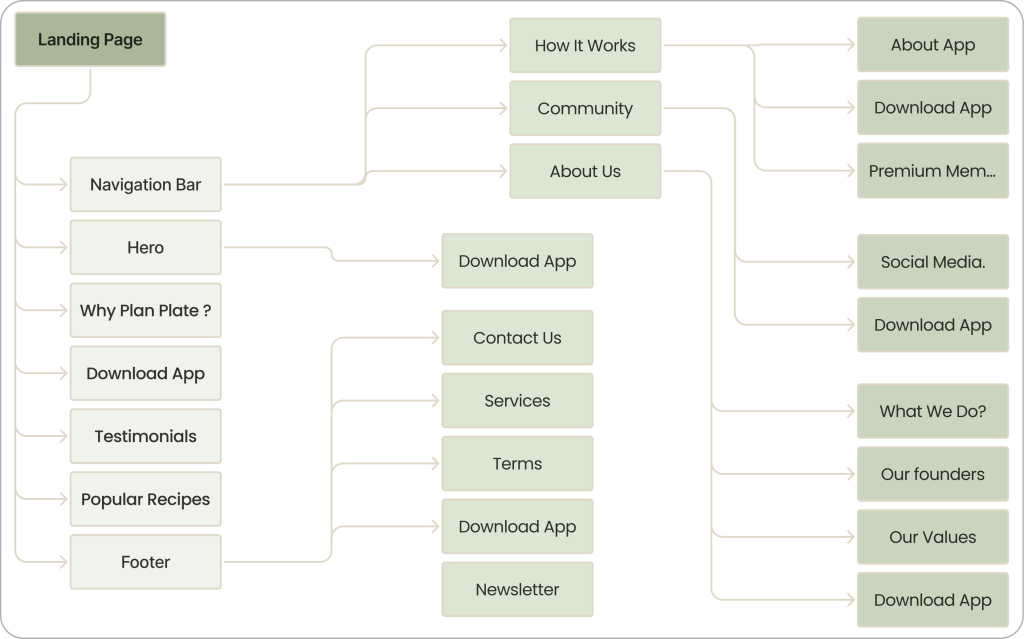
Site Map

How did we redesign the information architecture?
Develop

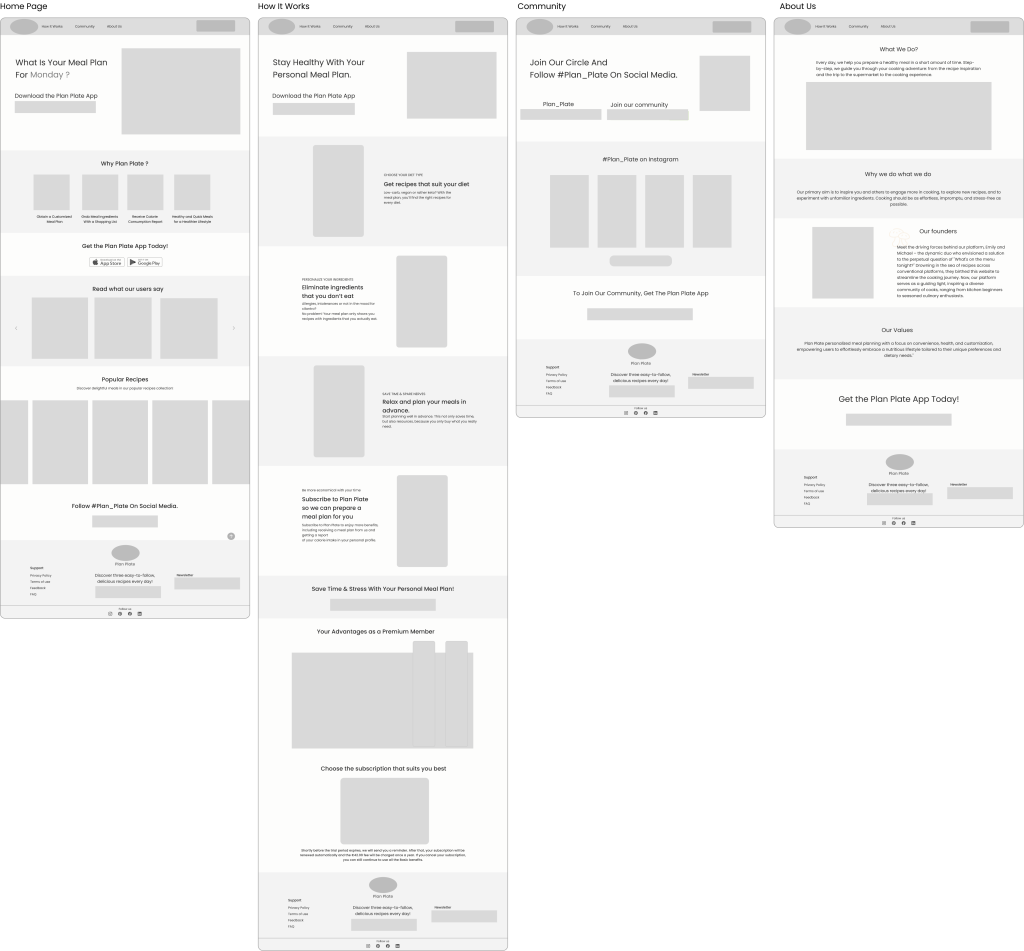
Mid-Fidelity Wire Framing

we created mid-fidelity designs to outline a vision for the app’s layout. This stage involved iteration.

Challenges and Solutions

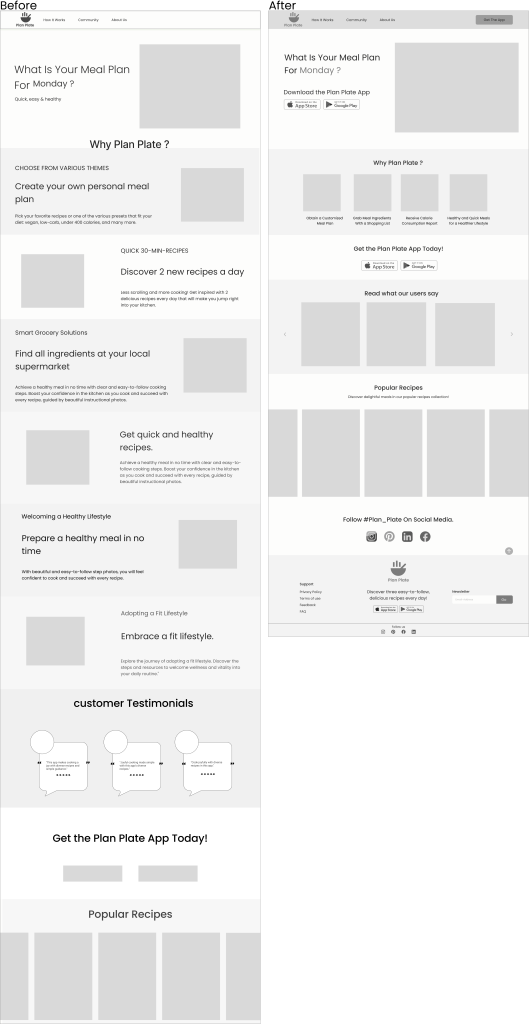
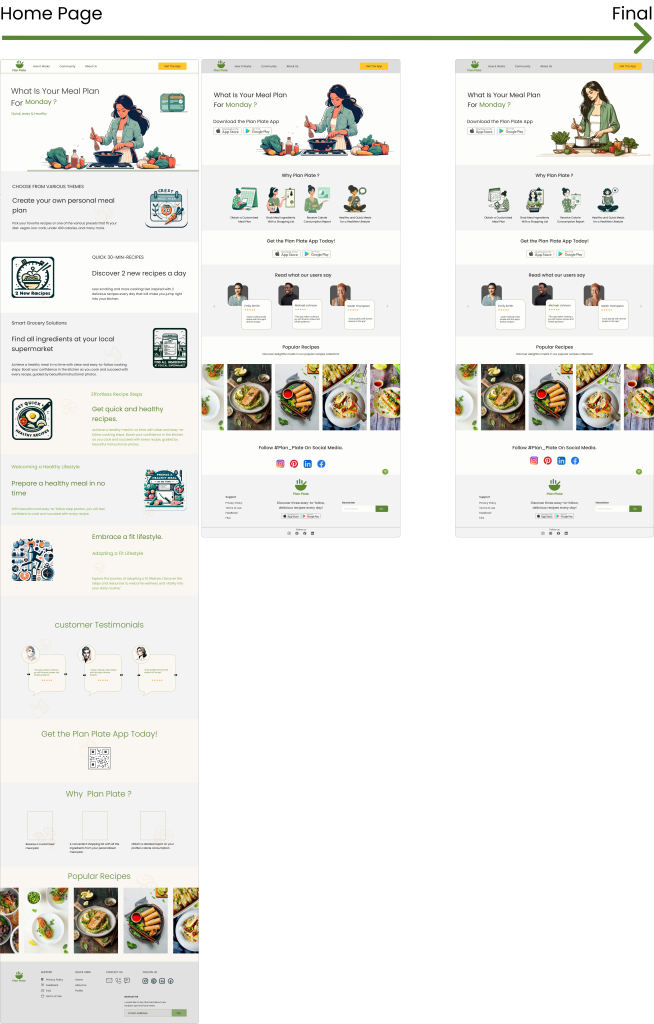
Home Page:


  1. Cluttered Layout:
  • The page has a lot of information, making it overwhelming for users to quickly find what they need.

Solution:

  1. Simplified Layout:
  • The new design features a cleaner, more organized layout, reducing visual clutter and making it easier for users to focus on essential information.

Challenge:

  1. Important Information Buried:
  • Key features and benefits of the app are not immediately visible and require scrolling to find.

Solution:

  1. Highlighted Key Information:
  • Important elements like the app’s value proposition, download buttons, and key features are prominently displayed at the top. This ensures users can quickly understand the app’s benefits without excessive scrolling.

Challenge:

  1. Difficult to Find Download Button:
  • The call-to-action button for downloading the app is not prominently displayed, making it harder for users to locate and engage with it.

Solution:

  1. Prominent “Get the App” Button:
  • The “Get the App” button is highlighted in yellow and prominently positioned at the top of the page, drawing immediate attention. This makes it easy for users to find and download the app, enhancing user engagement.

 UI Design Direction

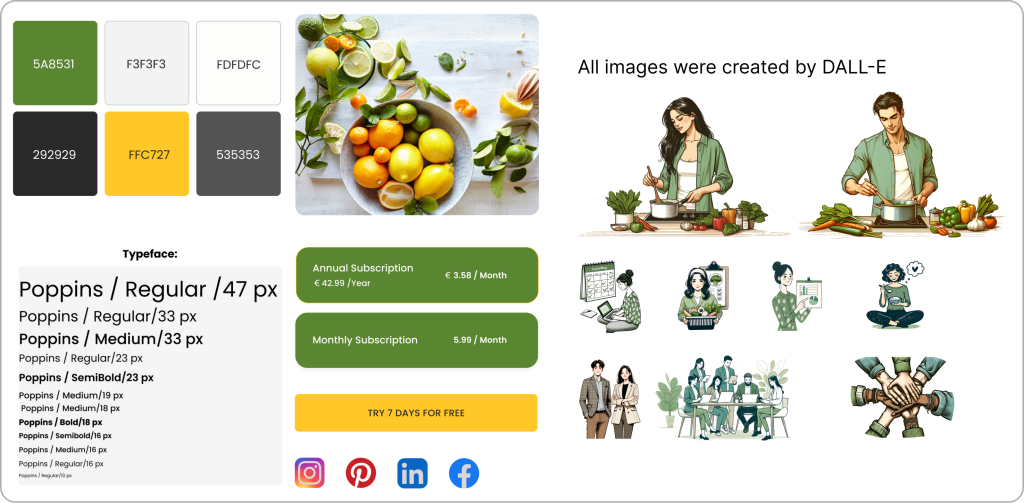
To design a high-fidelity interface for Plan Plate, we start by creating a mood board

that reflects the main goals and desired feelings as outlined by stakeholders.

This helps us establish the visual direction and overall aesthetic of the interface.

Deliver

Design Iteration

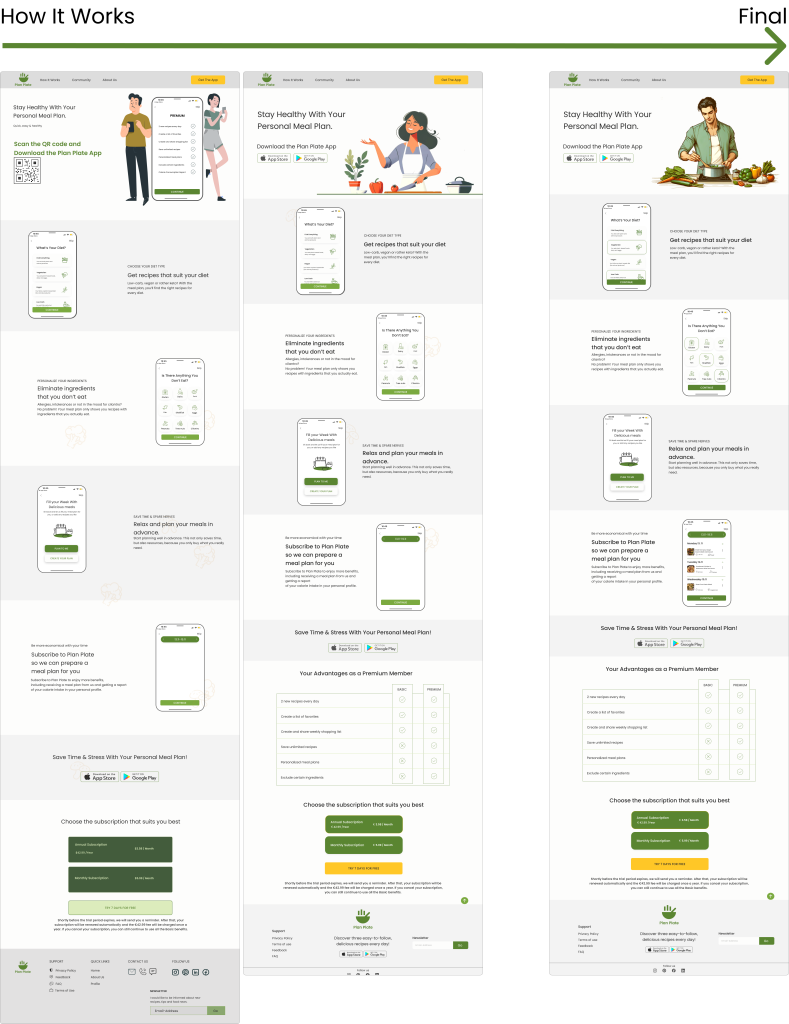
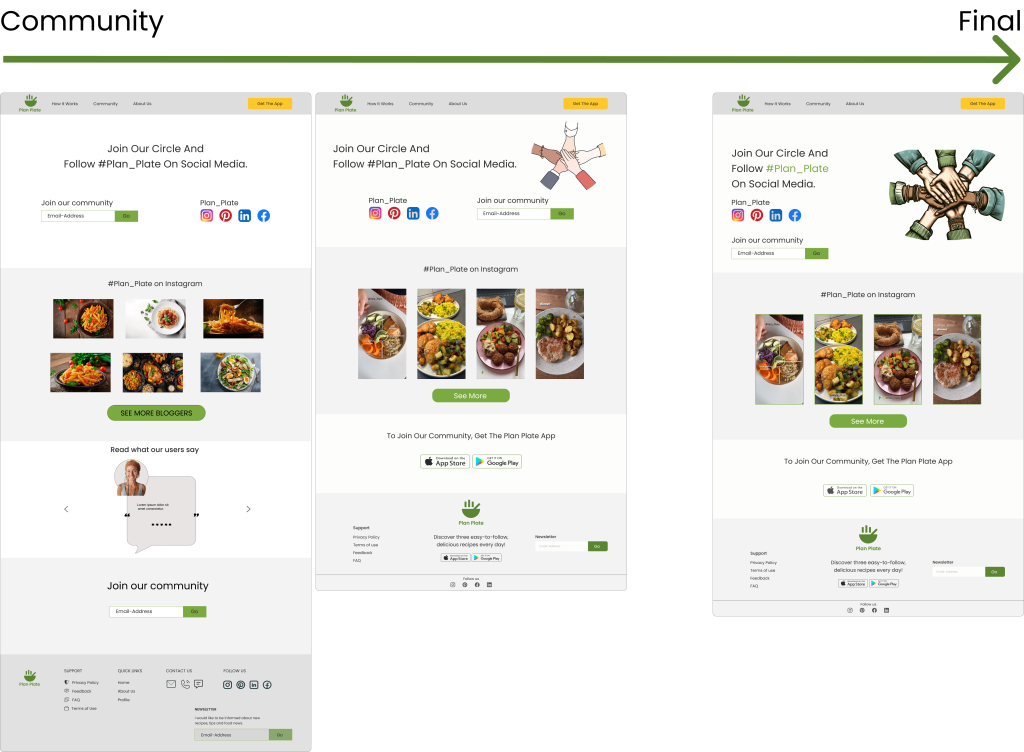
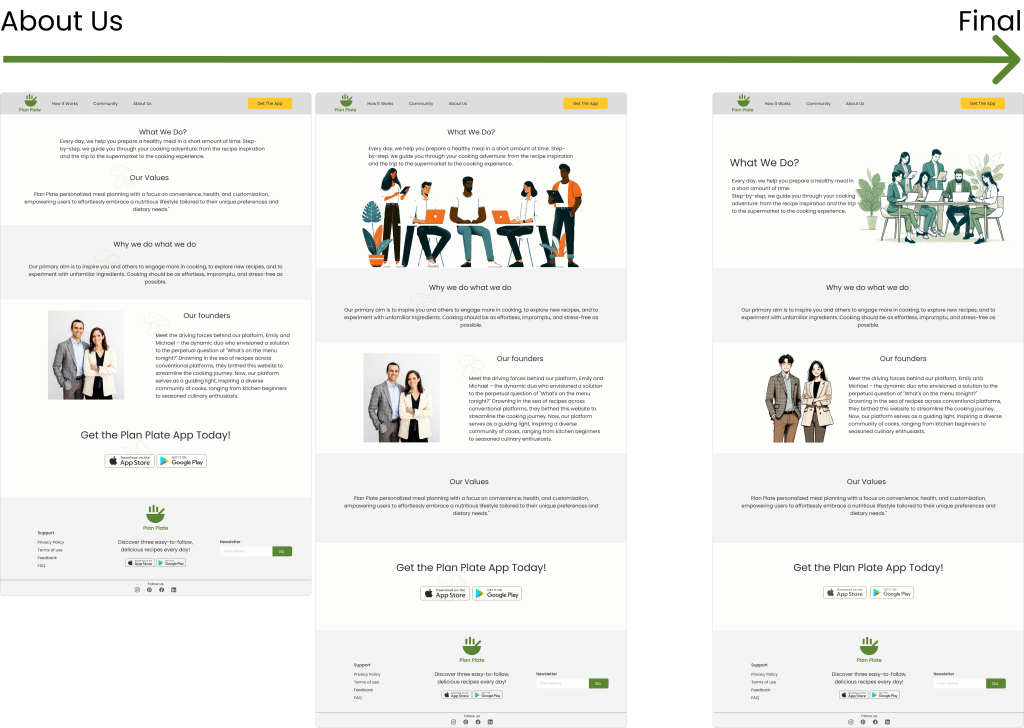
The initial pages’ layout and design were iterated several times until the final version was approved,

but this process of iteration will continue in the future.

Although the design process is always evolving based on changing human behavior and needs, we have decided that this prototype marks our “Done” point. It showcases what we have achieved through our design efforts. Although the design process is always evolving based on changing human behavior and needs, we have decided that this prototype marks our “Done” point. It showcases what we have achieved through our design efforts.

Reflections

What Did I Learn?

  • User-Centered Design: Understanding user needs is crucial for creating an intuitive website.
  • Effective Iteration: Iterating based on feedback and testing improves user-friendliness and engagement.
  • Clear Communication: Presenting key information and call-to-action buttons clearly enhances user experience and engagement.

What can we do next?

  • Continuous User Feedback: Regularly gather user feedback to keep improving the website.
  • Expand Functionalities: Add features like personalized meal recommendations and grocery delivery integration.