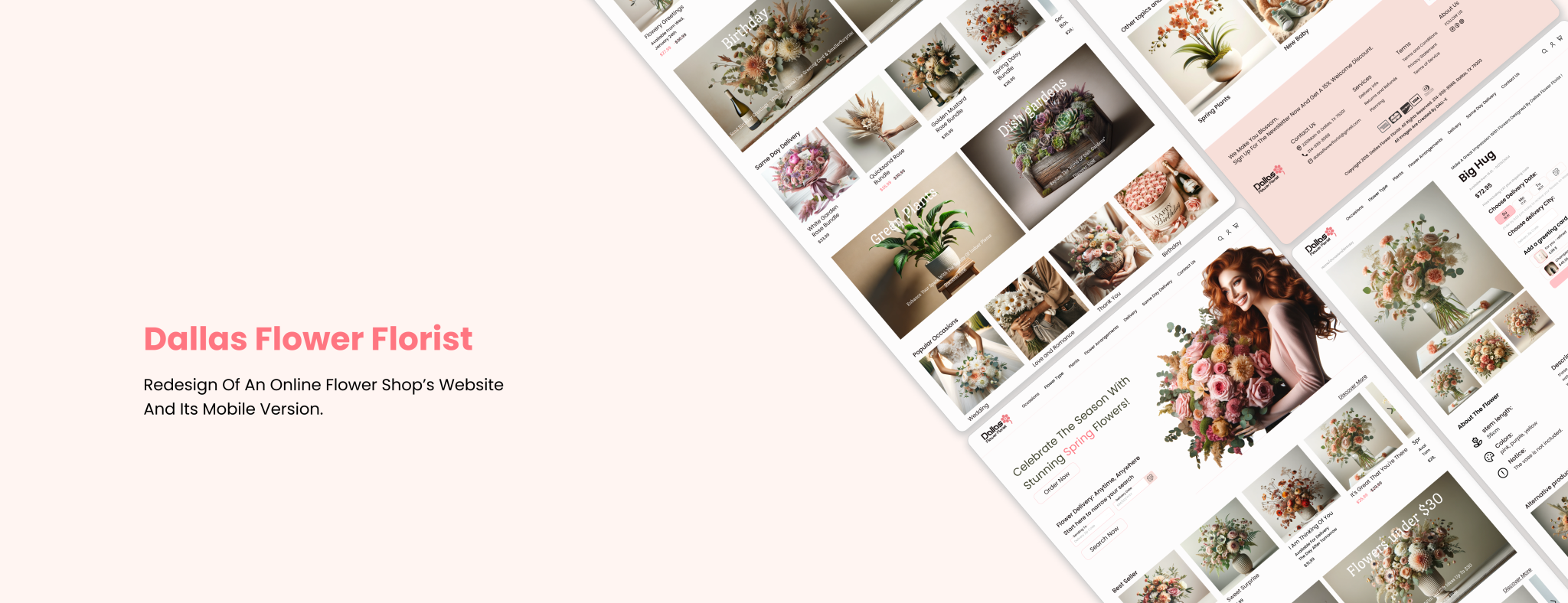
Dallas Flower Florist’s online shop is difficult to navigate and looks outdated.
Customers find it hard to locate, customize, and purchase flowers,
resulting in lower sales and decreased customer engagement.
Goals:
Improve the visual appeal of the online shop with a modern design.
Enhance the navigation to make it easier for customers to find and purchase flowers.
Optimize the shopping experience to increase customer engagement and sales.
The Process
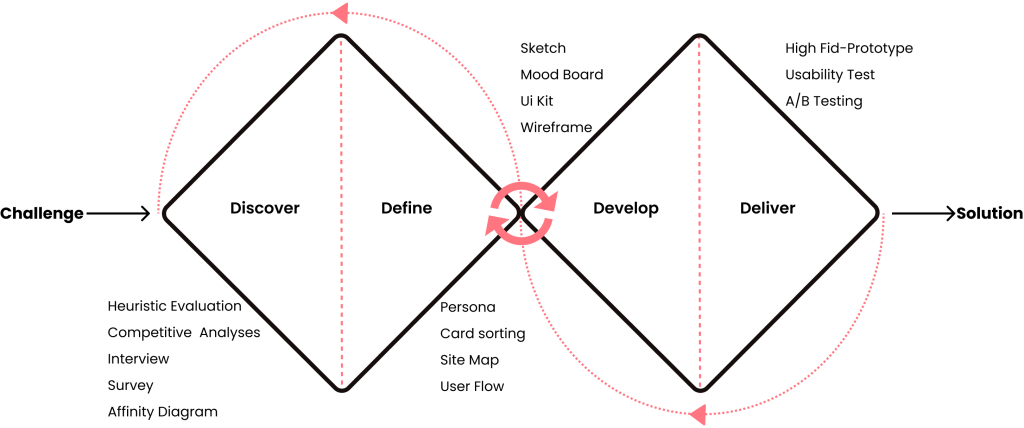
Our team of three ran a Double Diamond Design based on the Design Thinking Methodology.
It was not a linear path, we bounced between stages as the project progressed.
Discover
Research Methodology:
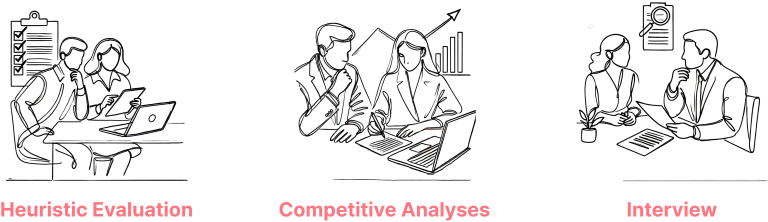
Our research methodology is based on three key methods:
Heuristic evaluation helps us find usability problems quickly.
Competitive analyses show what others do well and how we can improve.
Interviews let us understand people’s thoughts and experiences.
Heuristic Evaluation:
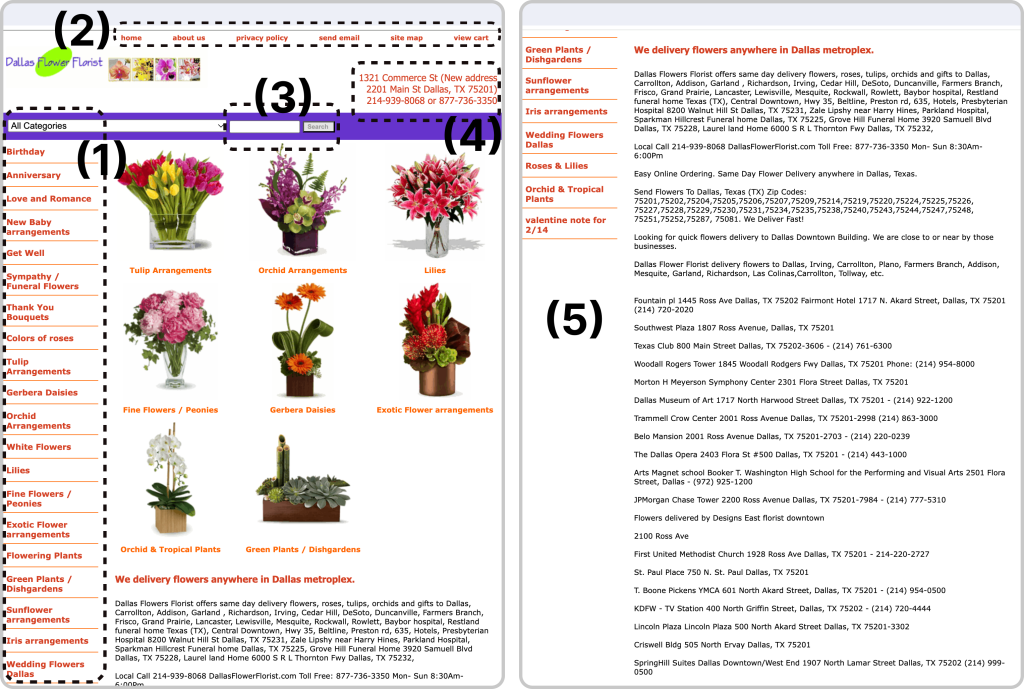
Before carrying out user interviews, our team of three conducted a heuristic evaluation of the website. This helped us identify key usability problems and determine the main areas to focus on during our user research.
We found that the website’s design and content were outdated, revealing numerous issues.
What Did We Find?
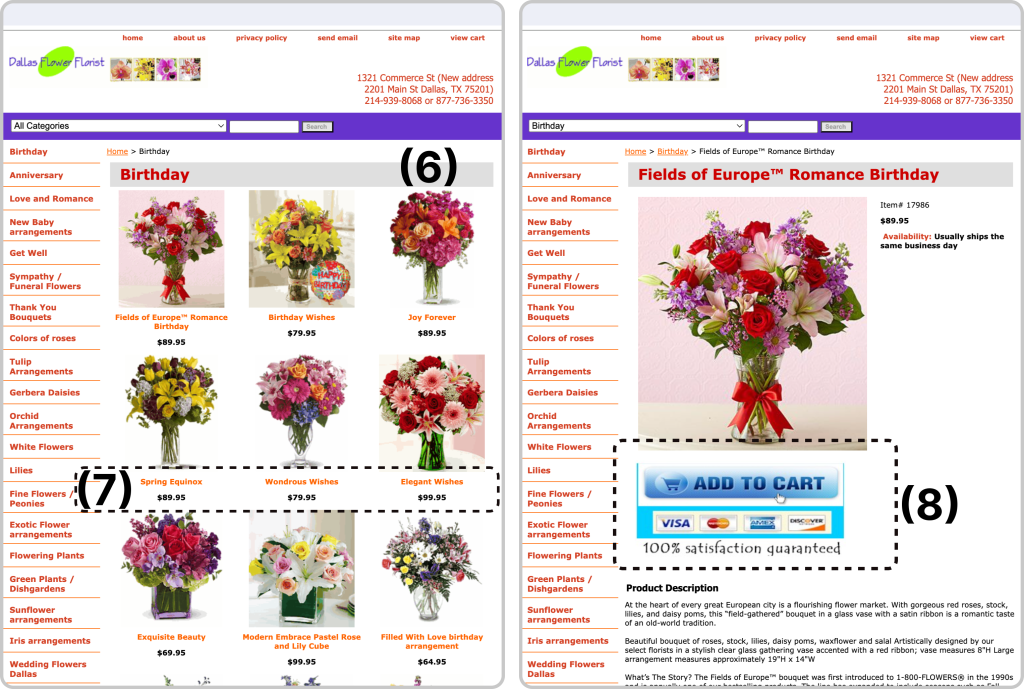
1. The categories are arranged in an illogical and messy way.
2. The global and local navigation are disorganized and unrelated.
3. The search bar is unusable.
4. The address and contact number are placed in an inappropriate position.
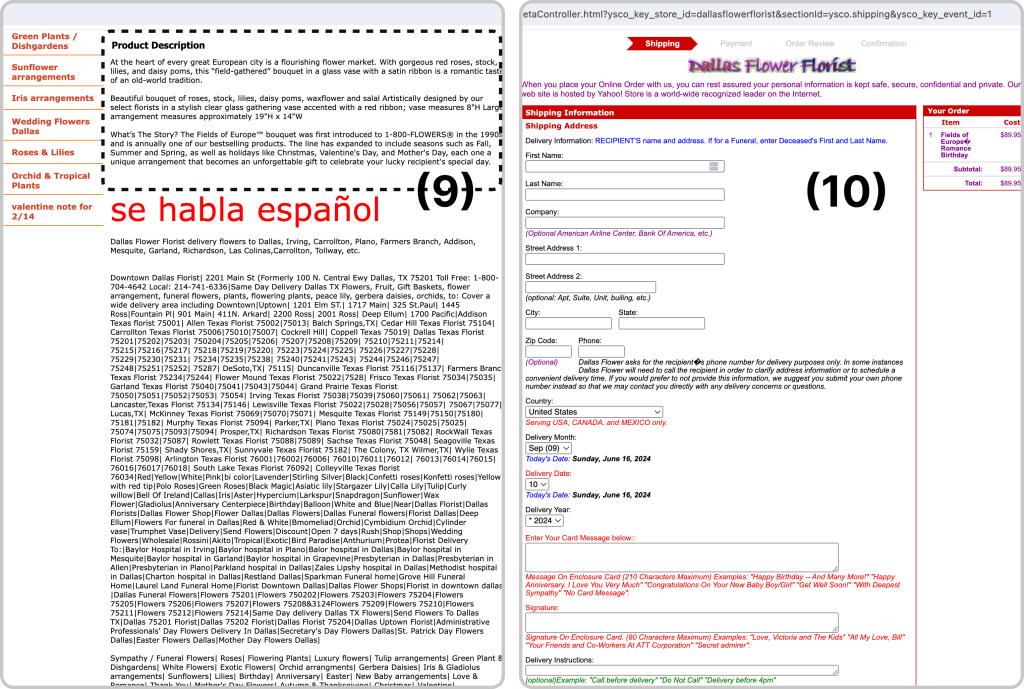
5. The words used confuse the user, and when scrolling, they encounter a lot of delivery information.
6. The photos are of low quality, and the colors and fonts of the text are inappropriate.
7. The information about the available flowers is incomplete.
8. The “Add to Cart” button is visually non-standard.
9. The information on the selected flower page is also terrible and insufficient; when scrolling, a lot of information appears, including the description.
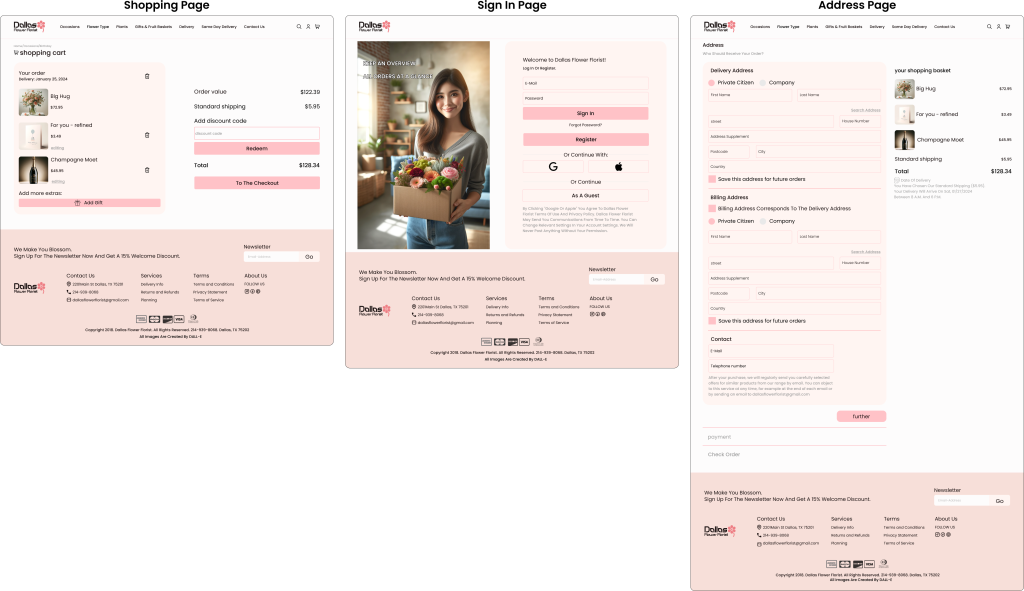
10. The long user information form in the purchase section is cluttered, unorganized, and non-standard.
Placing the date, address, delivery instructions, and gift and message options is also inappropriate.
Competitive Analyses
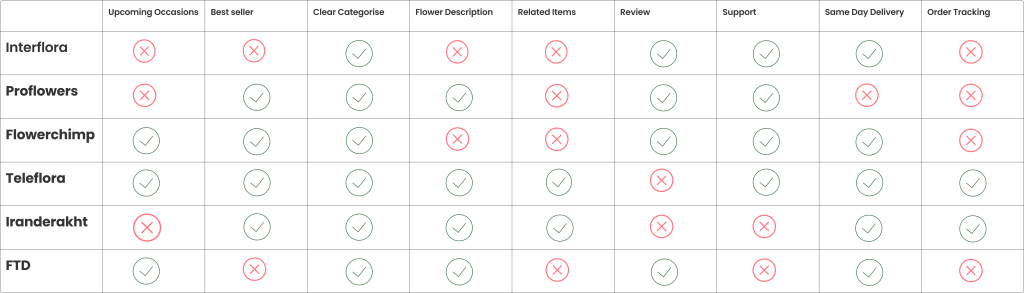
We conducted a competitive analysis of websites with similar business models to Dallas Flower Florist,
identifying key features for improvement.
Top takeaways:
Clearly defined product categories
Same-day delivery option
Highlight best-sellers
Access to customer reviews
Responsive customer support
Interview & Affinity Diagram
Learning about users’ perspective
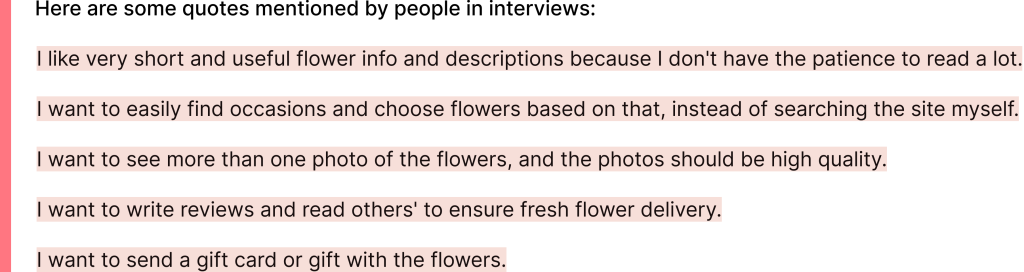
We conducted interviews with 15 participants to better understand their pain points.
Affinity Diagram
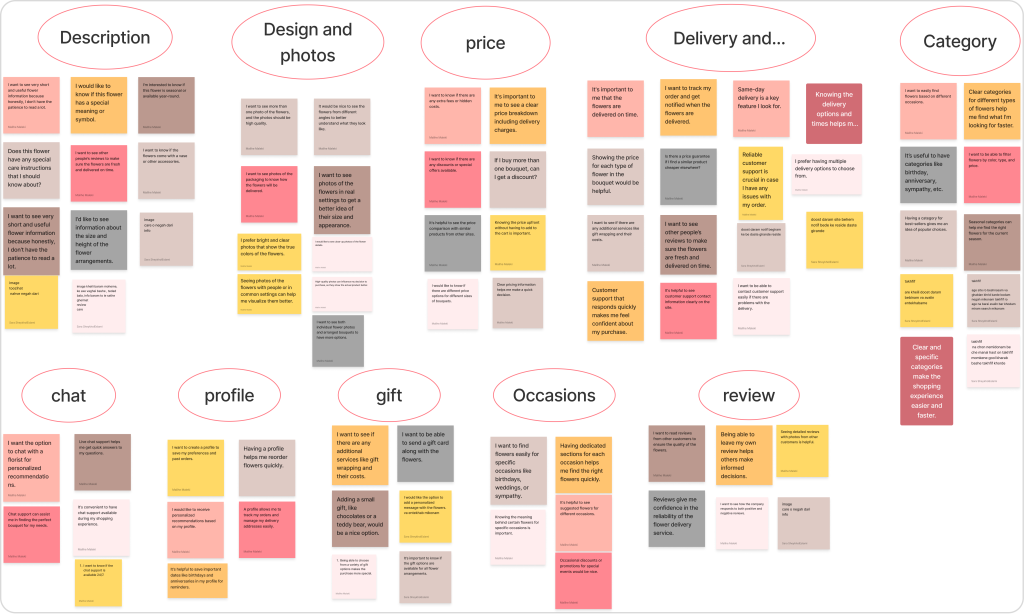
Based on all the information we had gathered, we created an affinity diagram,
and we identified the most important factors to consider.
Top takeaways:
Clear Information: Brief and useful flower descriptions and care details.
High-Quality Photos: Multiple clear photos from different angles.
Transparent Pricing: Clear prices, no hidden costs, visible discounts.
Reliable Delivery: Timely delivery tracking, and responsive support.
Easy Navigation: Simple categories and useful filters.
Define
Persona
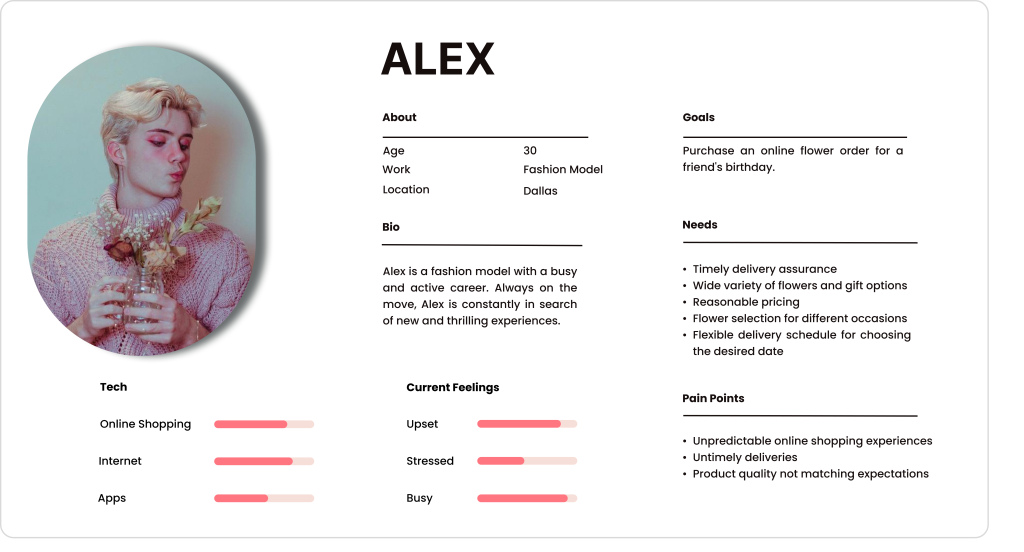
Who is the user of the Dallas Flower Florist website?
The website will be redesigned based on the Persona’s needs and preferences.
Meet Alex
Busy Lifestyle: Frequent travel makes time management crucial.
Seek Convenience: Needs a quick and easy way to order flowers online.
Prioritize Fast Delivery: Timely delivery ensures fresh flowers.
Expect Quality: Wants high-quality flowers and gifts.
Prioritize Fast Delivery: Needs timely delivery for fresh flowers.
Card Sorting
How do users think the website should be organized?
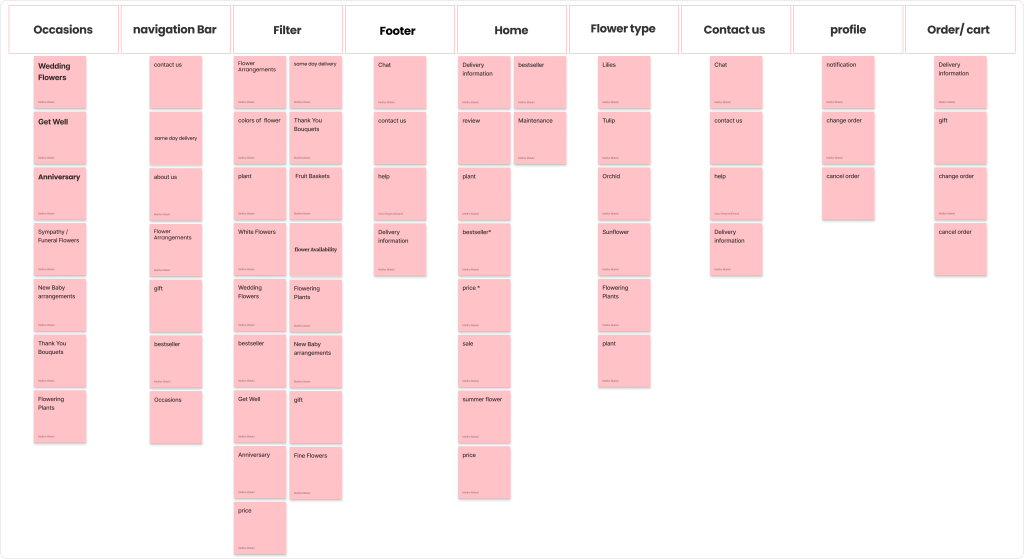
To improve the organization and intuitive navigation of the website, we conducted 9 card sorting sessions with potential users. The insights from these sessions helped us redesign the information architecture and site map.
Top Takeaways:
Occasions: Categories like Weddings, Get Well, and Anniversaries.
Navigation Bar: Quick links to Contact Us, About Us, Gift, and Bestsellers.
Filters: Options like flower size, color, type, and availability.
Home Page: Shows Delivery Info, Reviews, Bestsellers, Pricing, Sales.
Footer/Contact: Includes Chat, Contact Us, and Help.
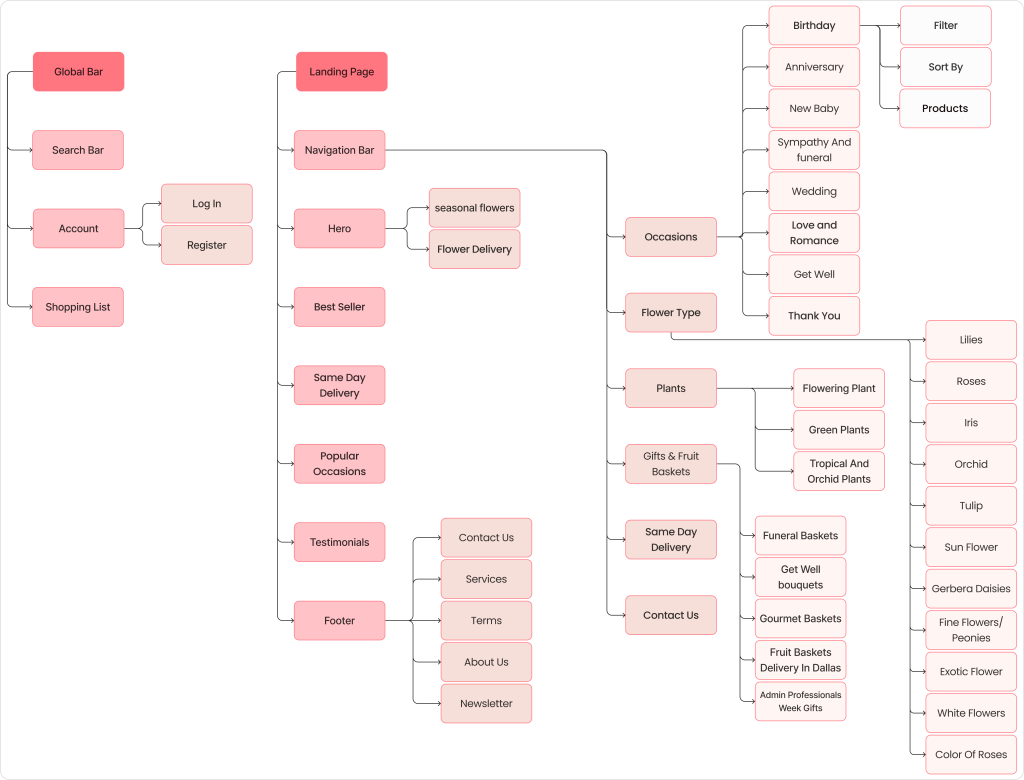
Site Map
How did we redesign the information architecture?
Develop
Ideation & Wire-framing
What redesign decisions did we make?
The most important takeaways from our research are pain points and solutions.
1.
Pain Point:
The categories are disorganized and confusing for users.
Solution:
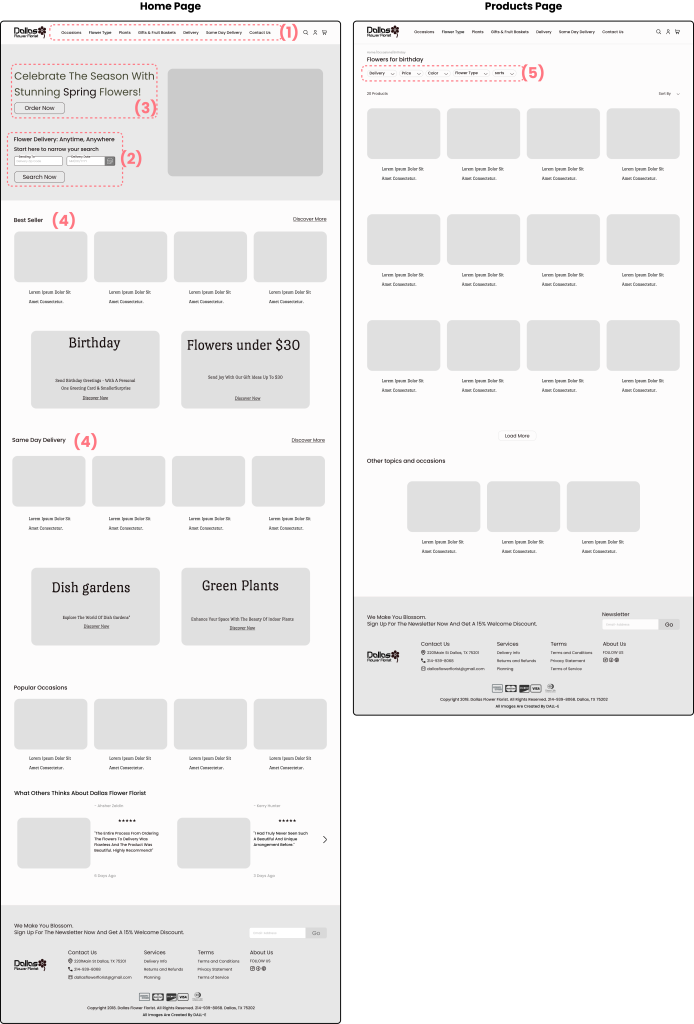
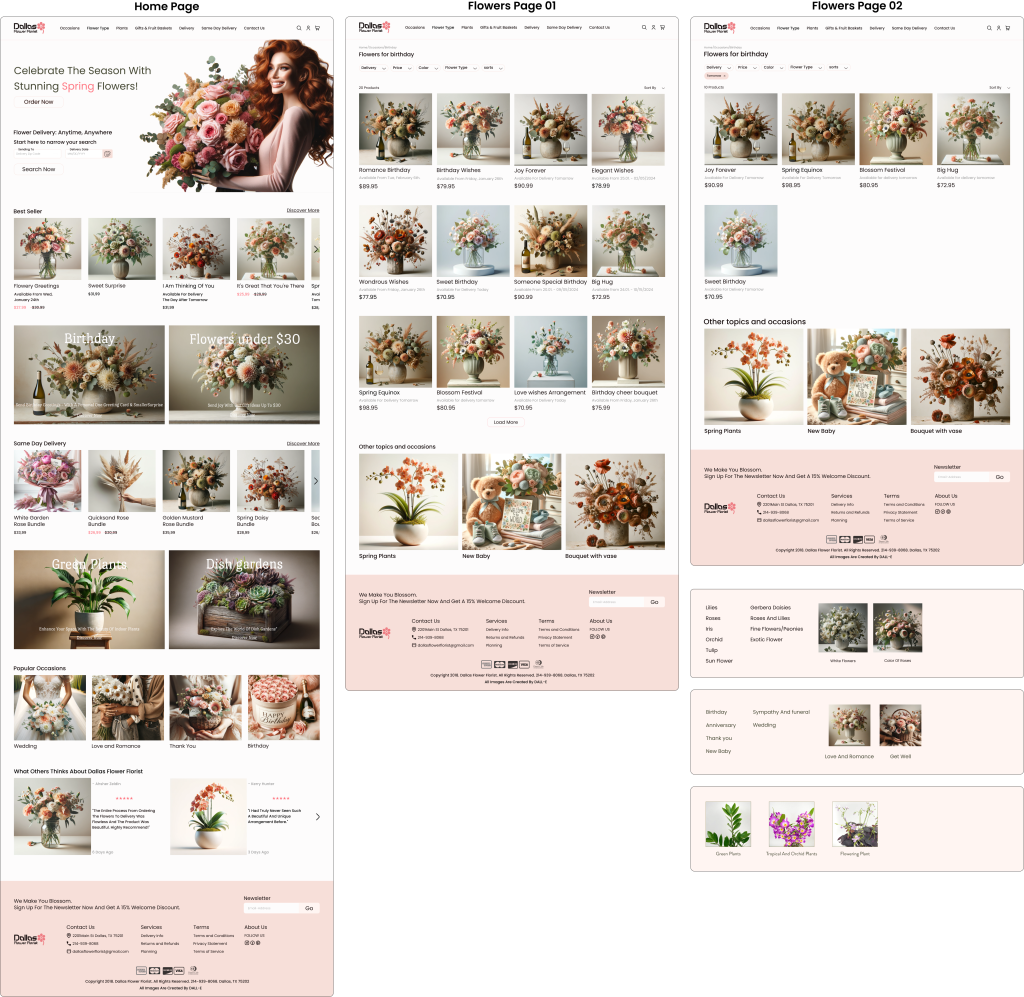
We reorganized the categories using user interviews, competitive analysis, and card sorting. This made them more logical and user-friendly. We also changed their placement for better visibility and easier navigation.
2.
Pain Point:
Creating a quick and effective search method.
Solution:
Allowing users to search by delivery time and location helps them quickly find their desired flowers.
3.
Pain Point:
Making it easy for users to search for seasonal flowers.
Solution:
Featuring seasonal flowers prominently in the homepage hero section helps guide users to these flowers more easily.
4.
Pain Point:
Helping users find best-selling and same-day delivery flowers.
Solution:
We categorized and featured best-sellers and same-day delivery options on the homepage to help users easily find these flowers.
5.
Pain Point:
Allowing users to filter flowers by type, color, and price.
Solution:
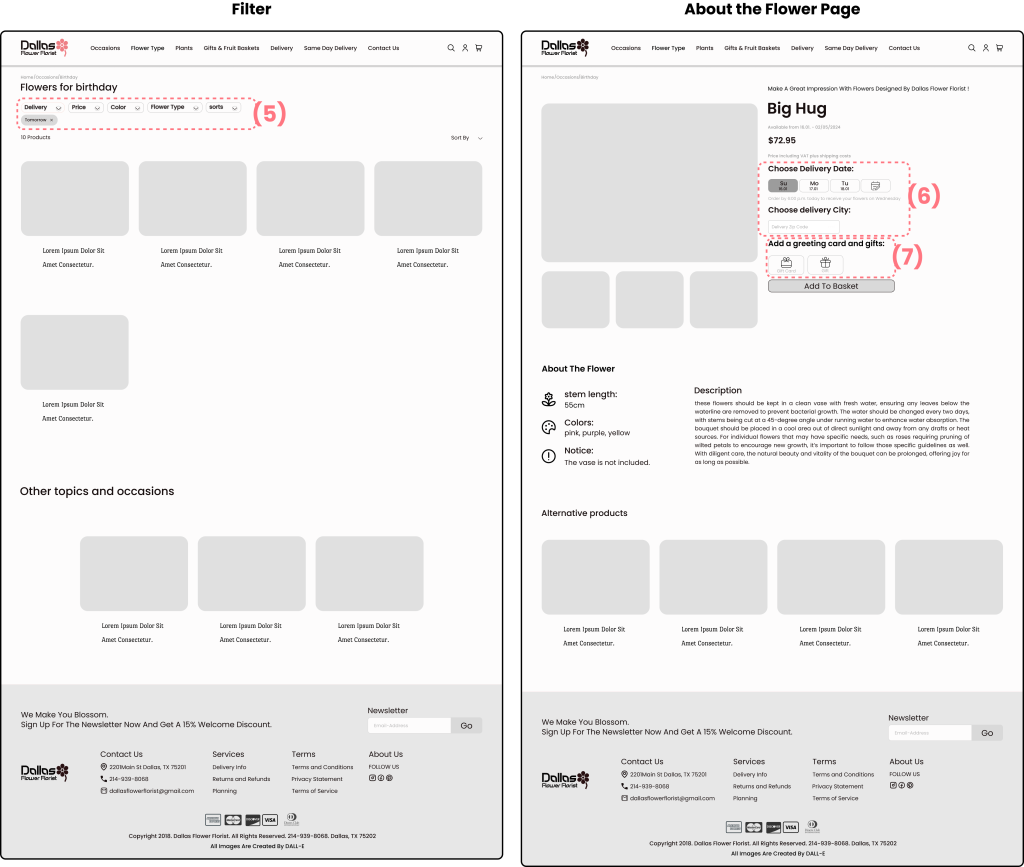
We designed simple and essential filters for delivery, price, color, and flower type on the product page, helping users quickly find their desired flowers.
6.
Pain Point:
Delivery time and location of flowers.
Solution:
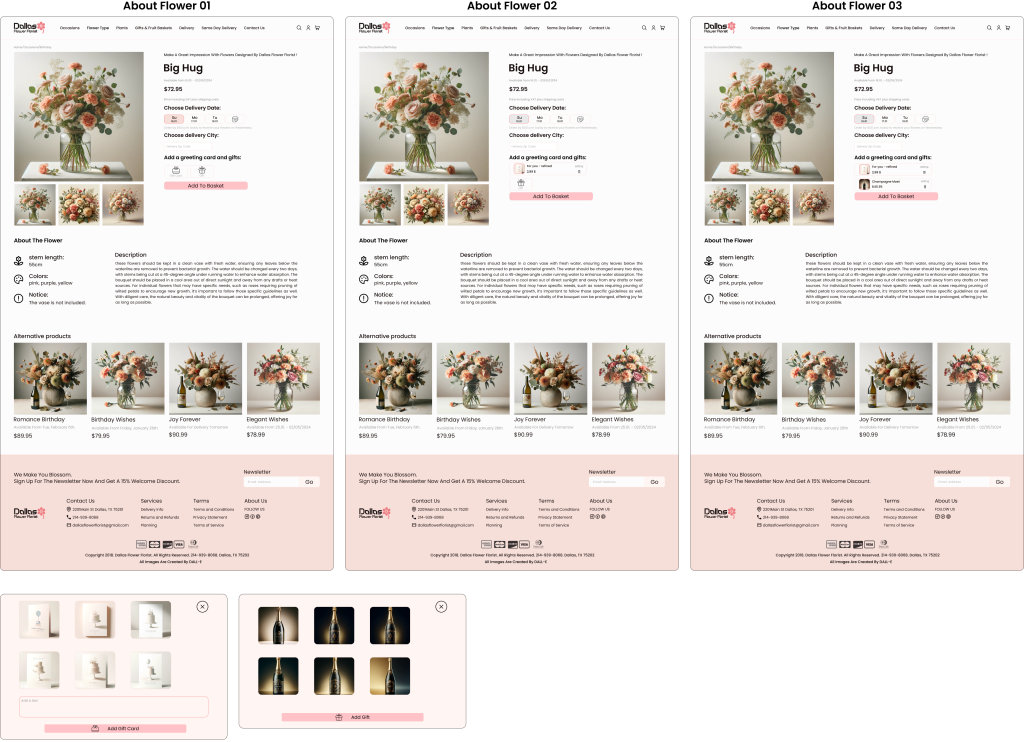
It’s crucial to include delivery time and location features on the page where users select their desired flowers.
7.
Pain Point:
Adding or removing gifts and gift cards, and writing messages on the card.
Solution:
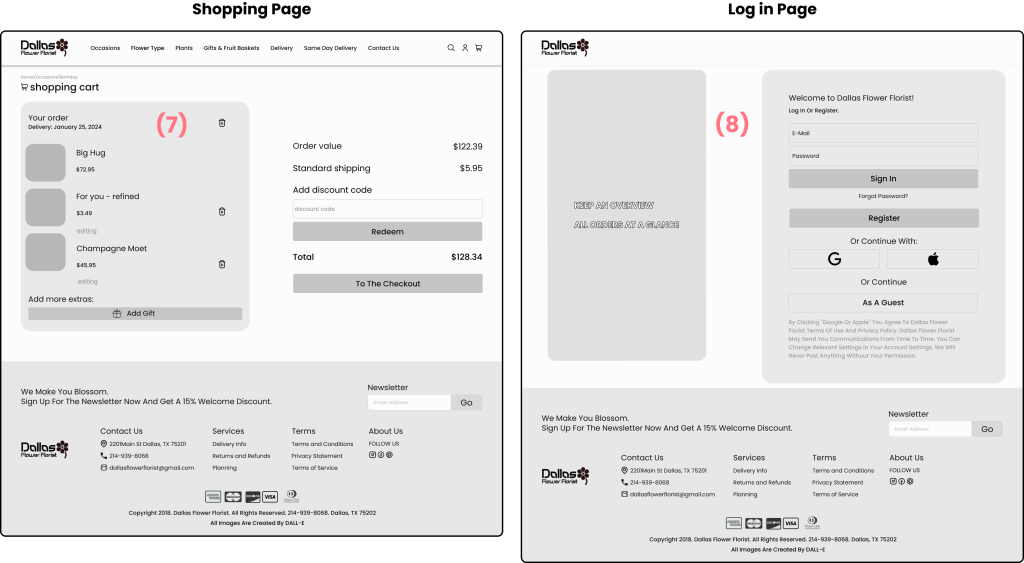
On the flower details and checkout pages, users can easily add, remove, or change gifts and gift cards, and write personalized messages.
8.
Pain Point:
Lacking login, registration, and personal profile features made the site less user-friendly.
Solution:
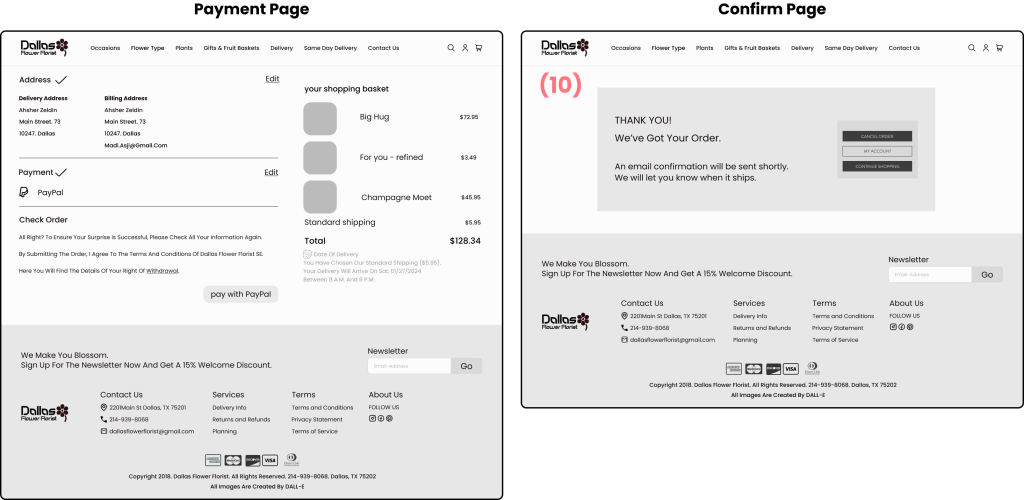
We added login and registration options. Users can now log in with email, Google, or Apple accounts, or continue as guests. This flexibility ensures users can quickly and easily complete their purchase, reducing the likelihood of cart abandonment.
Pain Point:
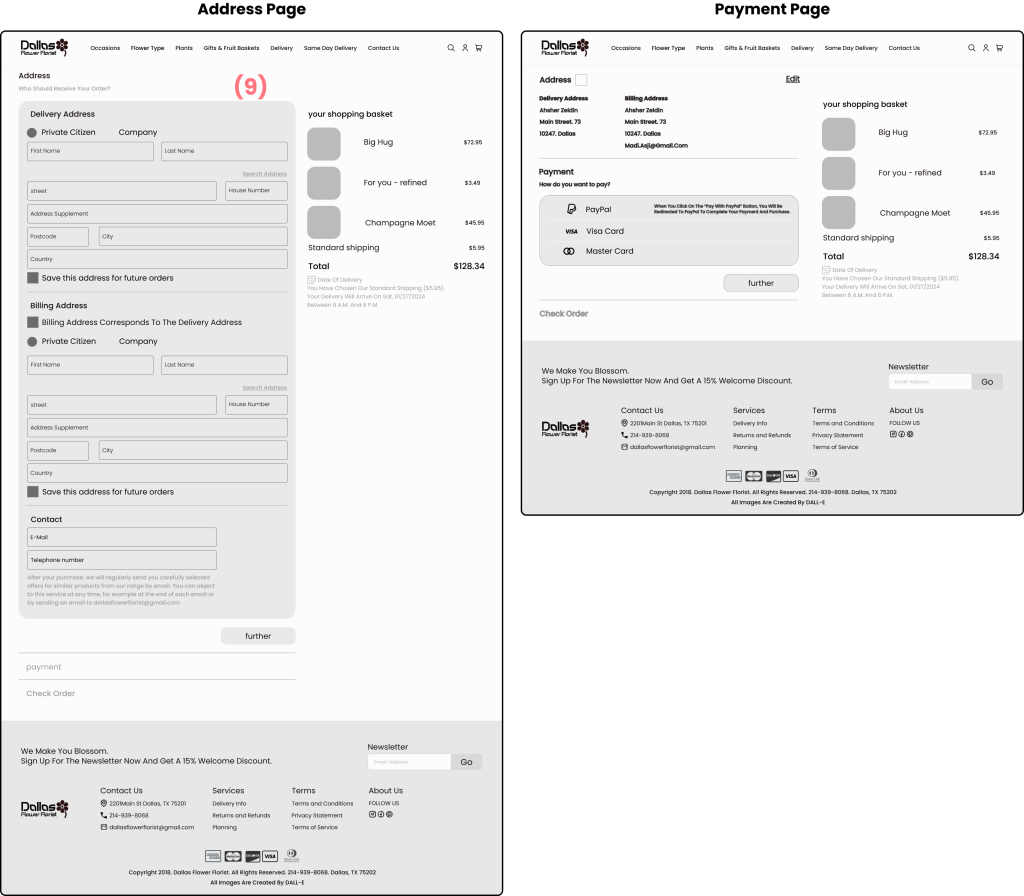
Users might find it cumbersome to fill in their address details twice if the billing address is the same as the delivery address.
Solution:
Include a checkbox option that allows users to indicate if their billing address is the same as their delivery address, auto-filling the billing address fields when selected.
10.
Pain Point:
Providing clear confirmation and follow-up for completed orders.
Solution:
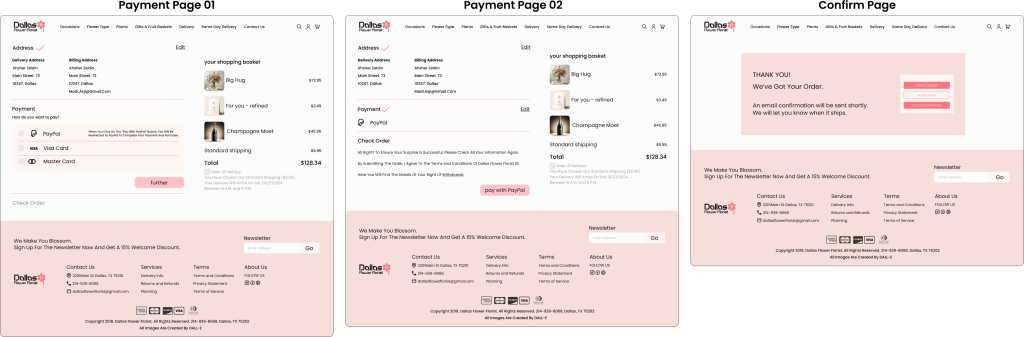
After completing the payment, users are directed to a confirmation page that thanks them for their order and informs them that an email confirmation will be sent shortly. This page also provides options to cancel the order, access their account, or continue shopping, ensuring users have all necessary information and next steps laid out.
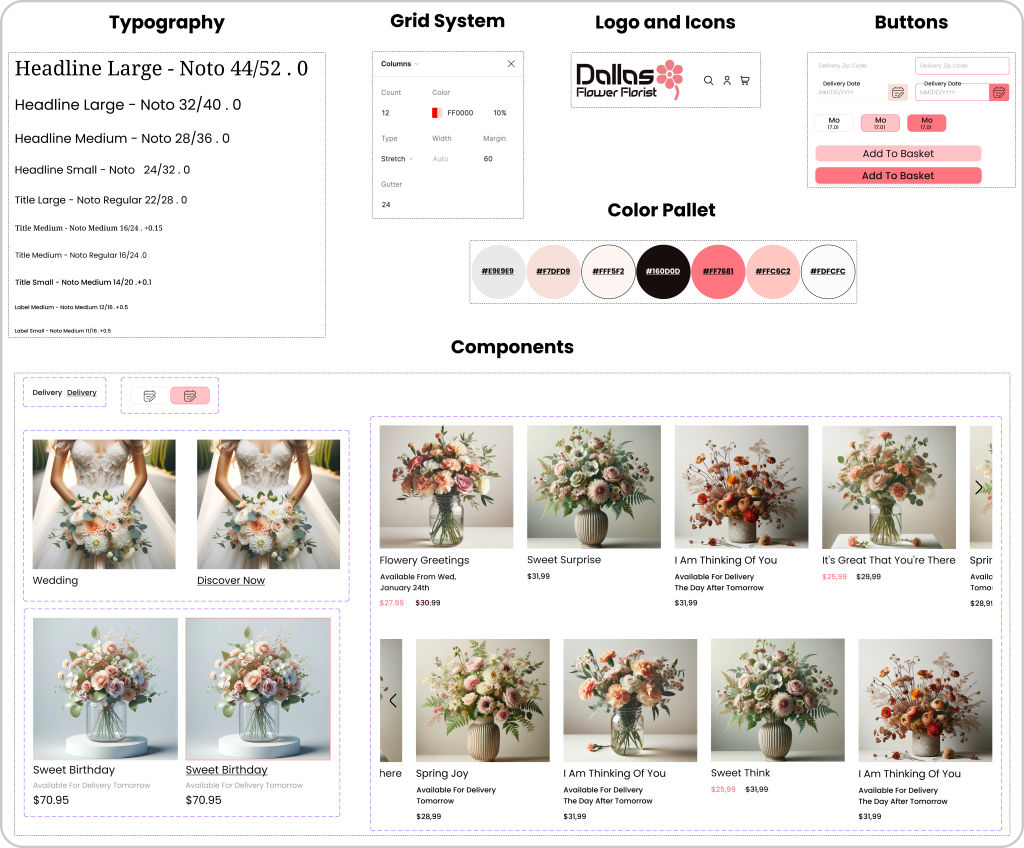
UI Design
Finding a suitable UI design for Dallas Flower Florist website
Deliver
High Fidelity Prototype
Let’s apply the UI kit and finalize the content
Usability Test & Iterations
Throughout the project, we went through multiple iterations, driven by the insights we gained from usability tests.
These tests were instrumental in shaping our decisions and constantly enhancing our project.
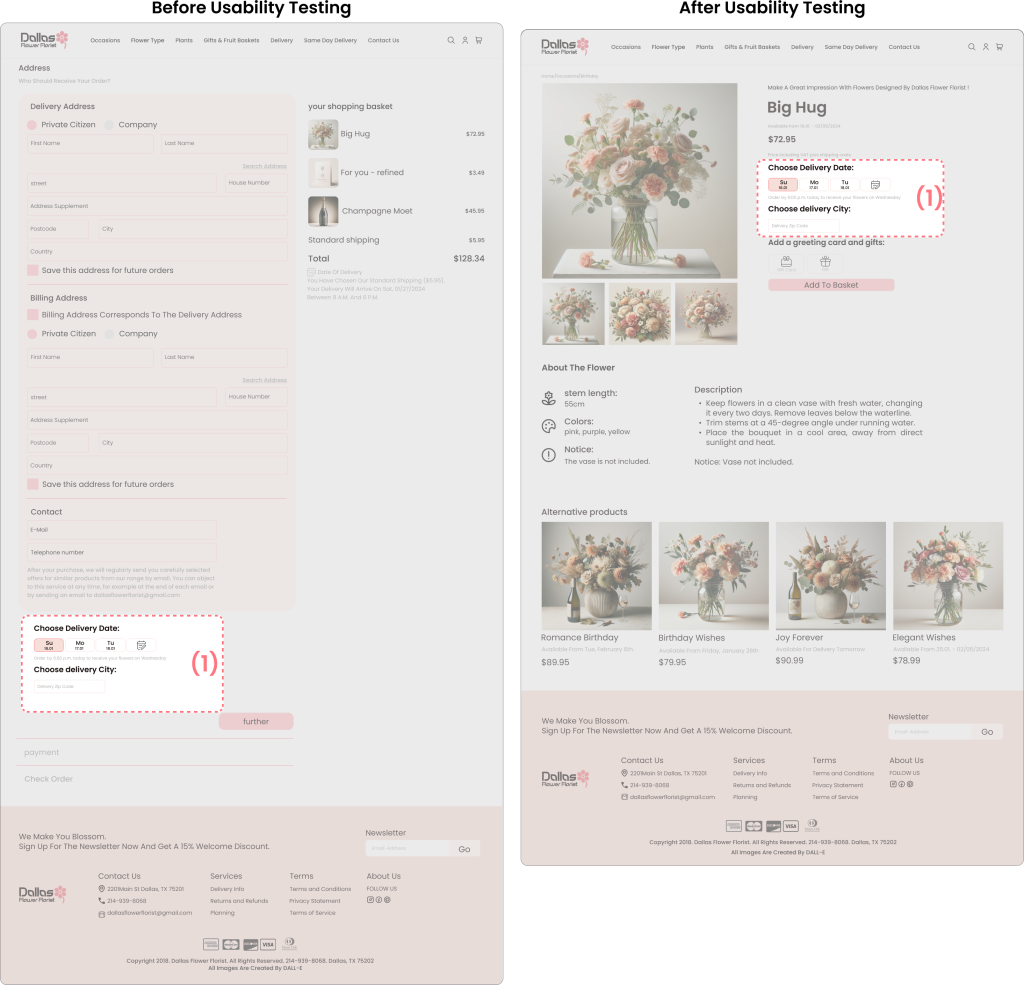
Delivery Date and City Selection
Before:
Users struggled to find delivery date and city options at the bottom of the address page.
Many overlooked these fields, causing frustration and delays.
After:
Moved “Choose Delivery Date” and “Choose delivery City” to the product detail page under the price.
Users easily noticed and used these options.
Checkout became smoother and user satisfaction increased.
Summary: Relocating the delivery options to the product detail page improved usability and overall user experience.
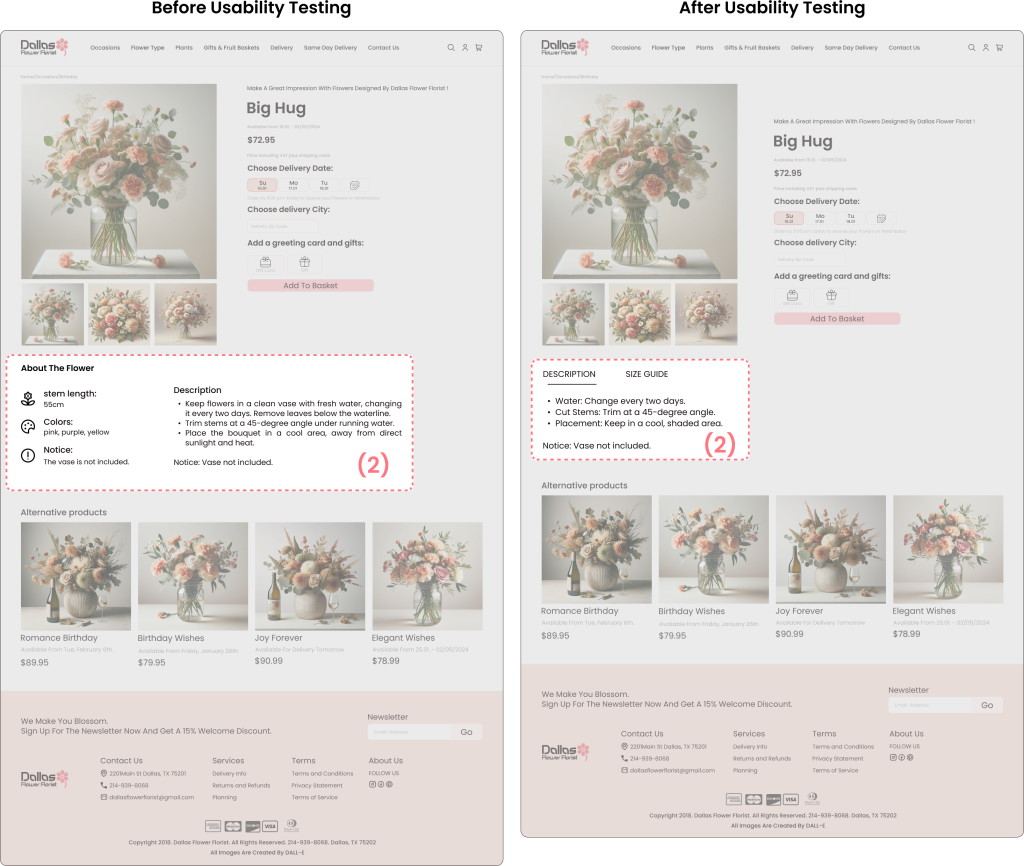
Flower Care Information
Before:
Users had difficulty finding flower care details because they were mixed with other information.
This made it hard to quickly understand how to care for the flowers.
After:
Moved and highlighted the care information under “Description” and “Size Guide.”
Made the care tips clear and easy to read: water change, stem trimming, and placement.
Summary: By separating and highlighting the flower care details, users can now quickly and easily find the information they need.
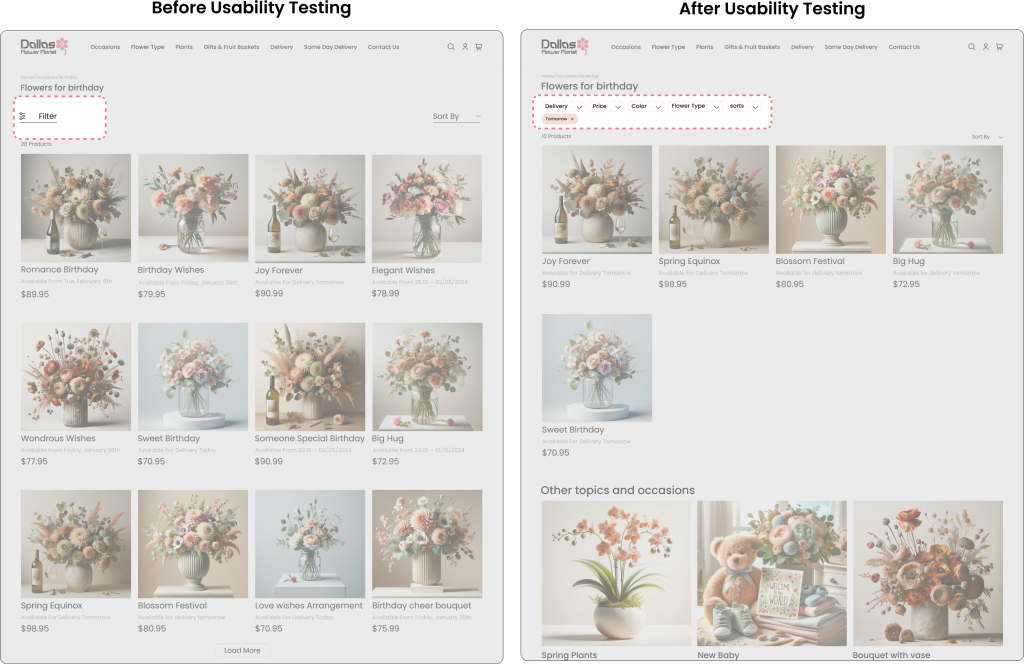
Filter Functionality
Before:
Issue: Filter button was small and hard to find.
Result: Users struggled to apply filters, causing frustration.
After:
Change: Moved filter options to the top and made them more visible.
Result: Users easily noticed and used the filters, improving satisfaction.
Summary: Enhanced filter visibility and accessibility improved user experience and satisfaction.
A/B Testing
After testing with users, the majority expressed a preference for Version B.
Version B offers a seamless experience. In this version, users can view different product images without the need for an extra click to close the previously opened image, making it more user-friendly and efficient.
A
B
Figma Prototype
Although the design process is always evolving based on changing human behavior and needs, we have decided that this prototype marks our “Done” point. It showcases what we have achieved through our design efforts.