Plan Plate is a platform designed by my teammates and me at UX Land School as part of a student project dedicated to meal planning and promoting healthy eating.

It delivers customized weekly meal plans tailored to individual dietary preferences and health requirements.

Additionally, it generates a comprehensive shopping list of all ingredients necessary for the planned recipes.

Project Overview​

Problem Statement

Many individuals struggle throughout the day with confusion over what to cook,

leading to unhealthy or repetitive eating habits.

Business Need

Developing an application that offers healthy weekly meal plans

and enhances user satisfaction with a user-friendly interface.

Value Propositions:

  • Obtain a Customized Meal Plan.
  • Grab Meal Ingredients with a Shopping List.
  • Receive a Calorie Consumption Report.

Potential Users:

  • Health Fans: People who like to eat healthy and want nutritious meals.
  • Busy Workers: Those who need quick meals because they have little time.
  • Gym Goers: People who exercise a lot and need meals that support their fitness goals.
  • Families: Parents looking for healthy meals that everyone in the family can enjoy.
  • Diet Followers: Individuals on specific diets like keto, vegan, or gluten-free.
  • Seniors: Older adults who want simple, nutritious meals.
  • Beginner Cooks: New cooks who need easy recipes with clear instructions.

Goal:

The main goal of our research was to develop meal plans

that satisfy each user’s specific dietary needs and preferences.

The Process​

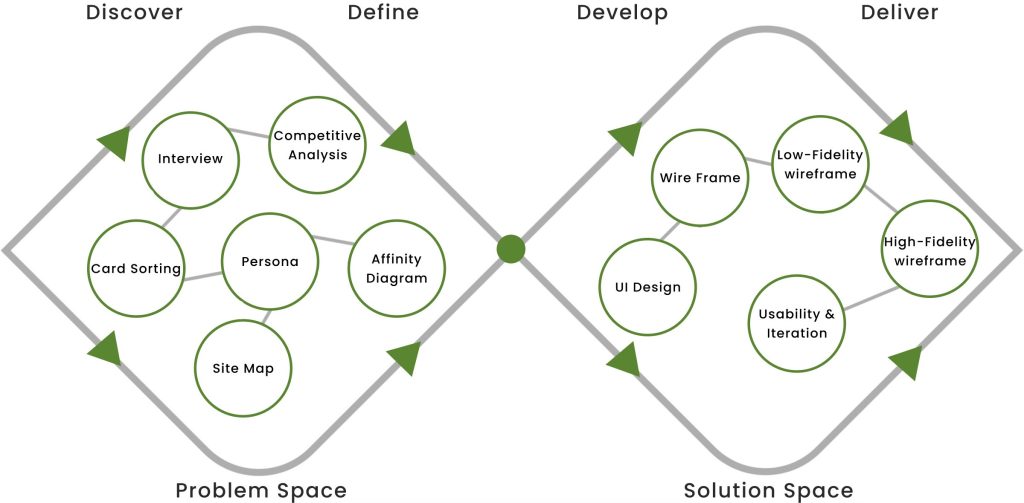
Our team of 3 followed a Double Diamond approach based on the Design Thinking methodology.

It was not a linear path; we bounced between stages as the project progressed.

Discover

To understand the users’ pain points and develop effective solutions,We employed a

comprehensive research approach that consisted of the following methods: 

  1. Survey
  2. Interview
  3. Competitive Analysis

 Survey

During the initial stage of designing this application, we conducted a survey that consisted of 12 questions.

The purpose of the survey was to gather preliminary information about the target users, their needs,

concerns, and pain points. From this survey, we received 114 responses.

 Interview

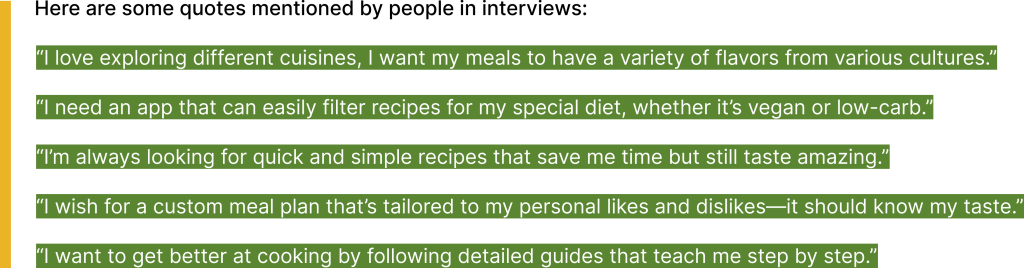
We conducted interviews with 8 survey participants to delve deeper into their needs and challenges.

We asked them about their preferences for using the meal-planning app.

 Affinity Diagram

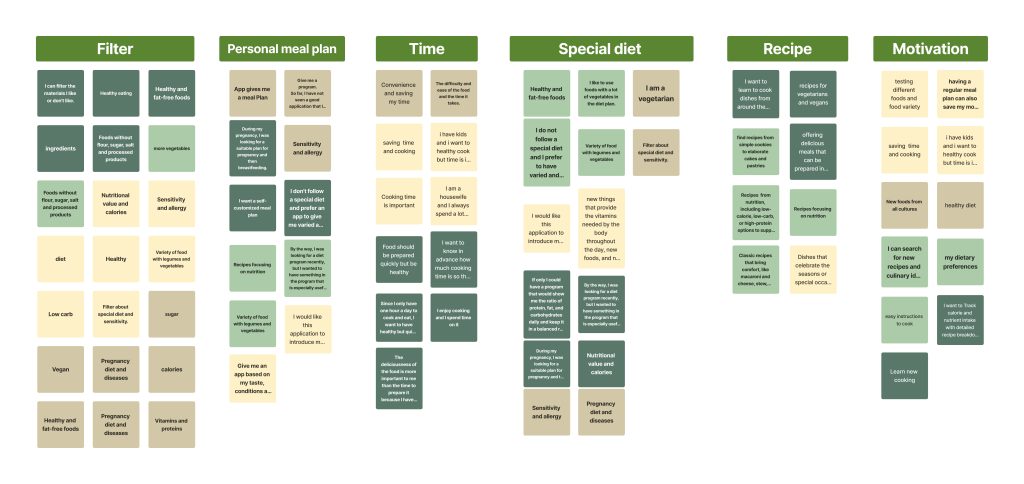
Based on all the information we had gathered, we created an affinity diagram, and we identified the most important factors to consider.

  • Filter
  • Personal meal plan
  • Time
  • Special diet 
  • Recipe
  • Motivation
  Key Takeaways
 
  • Make it Personal: People want apps that give them meal plans and recipes that fit what they like and their health needs.
  • Save Time: Folks are looking for ways to cook faster without losing out on good taste.
  • Healthy Choices: Users like to have lots of different healthy foods to pick from, especially if they eat special diets like vegan or low-carb.

 Competitive Analysis

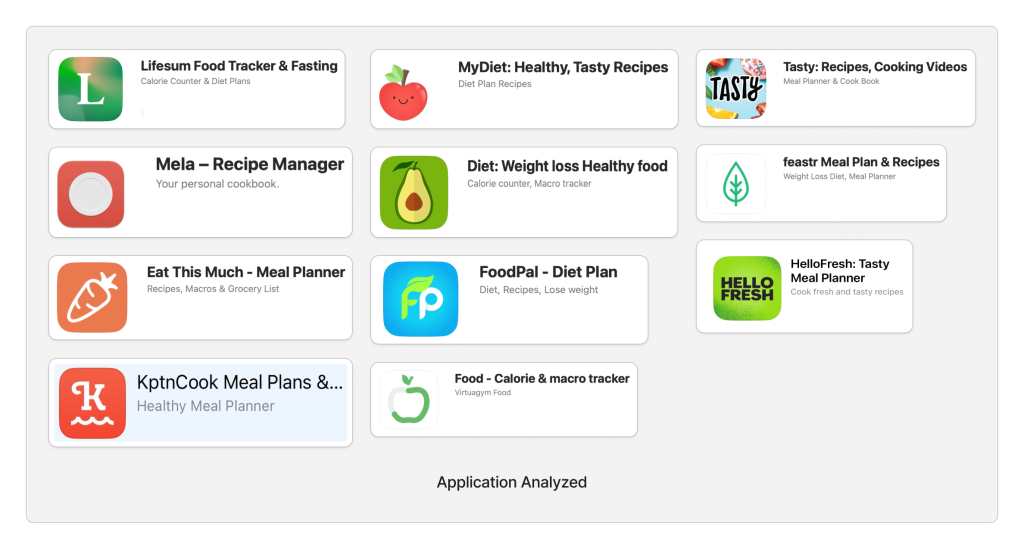
We started by researching meal planning applications with similar objectives to ours.

This helped us understand the key features needed for our design.

We looked closely at these platforms to see how they work and what they do. This helped us design better.


Top Takeaways

  • Ask about food preferences, allergies, and servings, then recommend recipes.
  • Feature seasonal recipes on the main page to maintain user interest.
  • Users can effortlessly modify their diet preferences on their profile and during searches.
Define

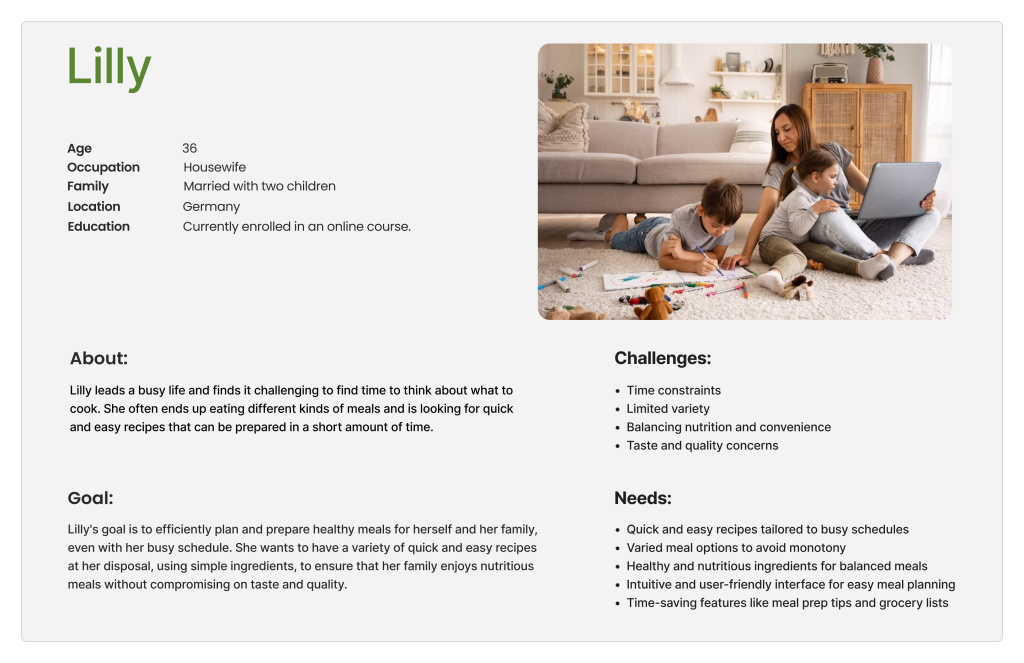
  Persona

After conducting interviews and analyzing the needs and challenges of our users,

we designed a persona to guide us through the app development process.

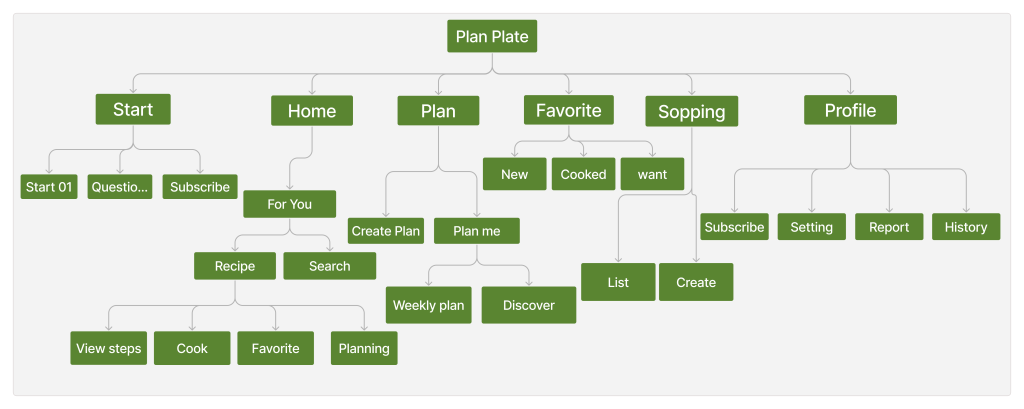
  Site Map

based on the card-sorting process, we created the site map.

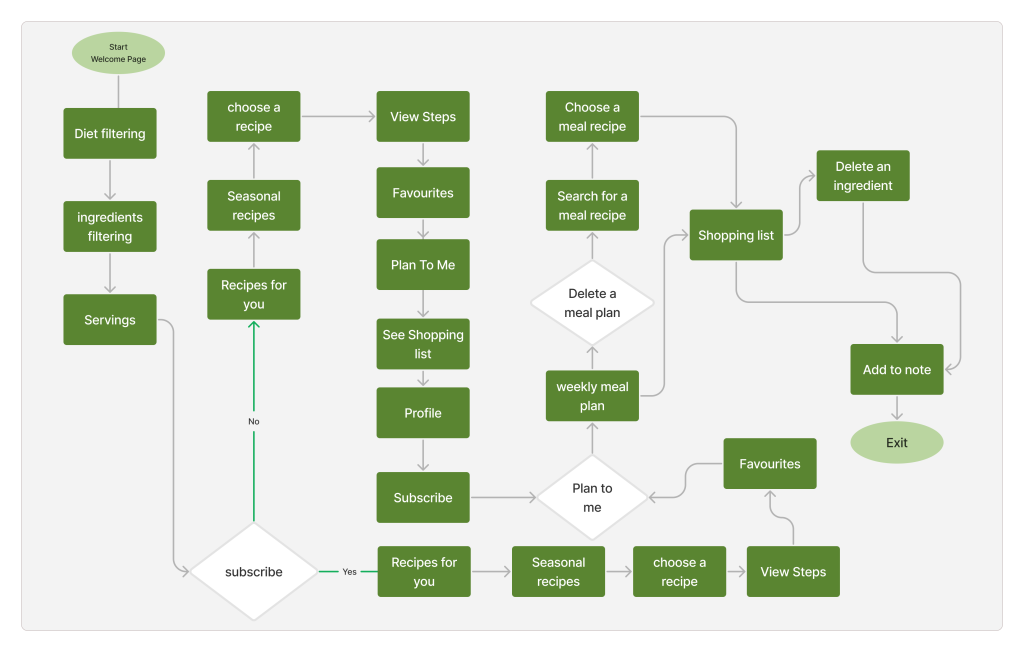
  Task Flow

In PlanPlate, users open the app, subscribe, customize weekly meal plans, and save shopping lists,

ensuring a smooth and convenient experience.

  User Flow

In designing the user flow, we aimed to obtain a weekly meal plan and then grab a shopping list for its ingredients.

Develop

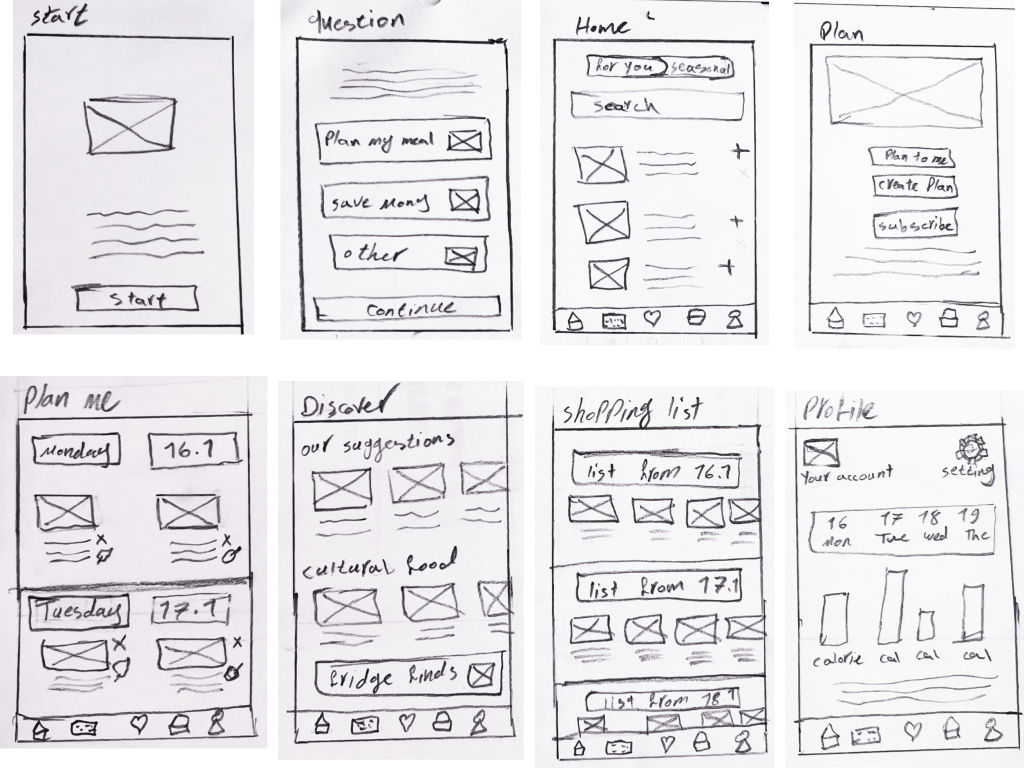
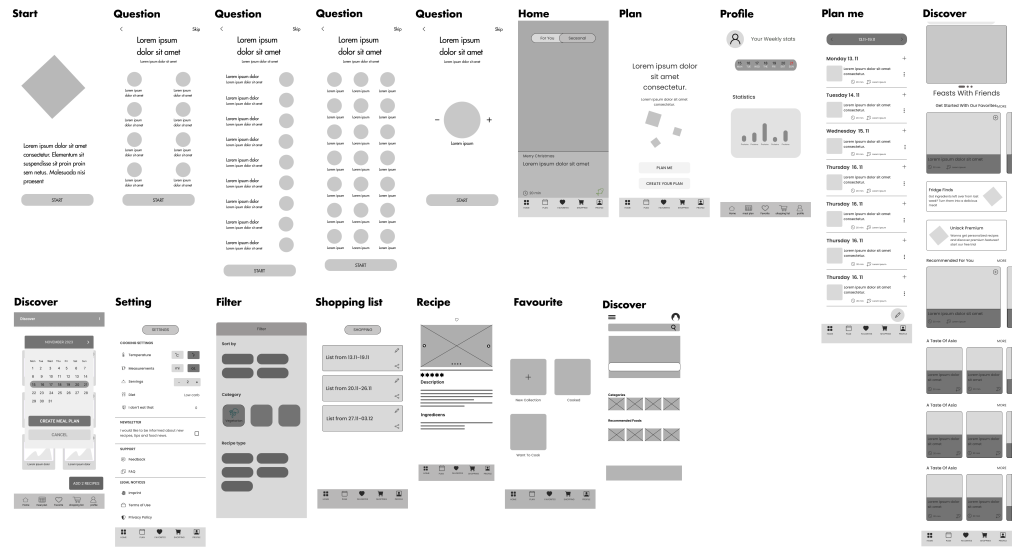
 Sketch and Wire Framing

During the wireframing stage, each team member sketched several designs on paper.

In the next step, our team members designed the sketches in Figma and iterated on the initial sketches,

this time with more details and adding more pages.

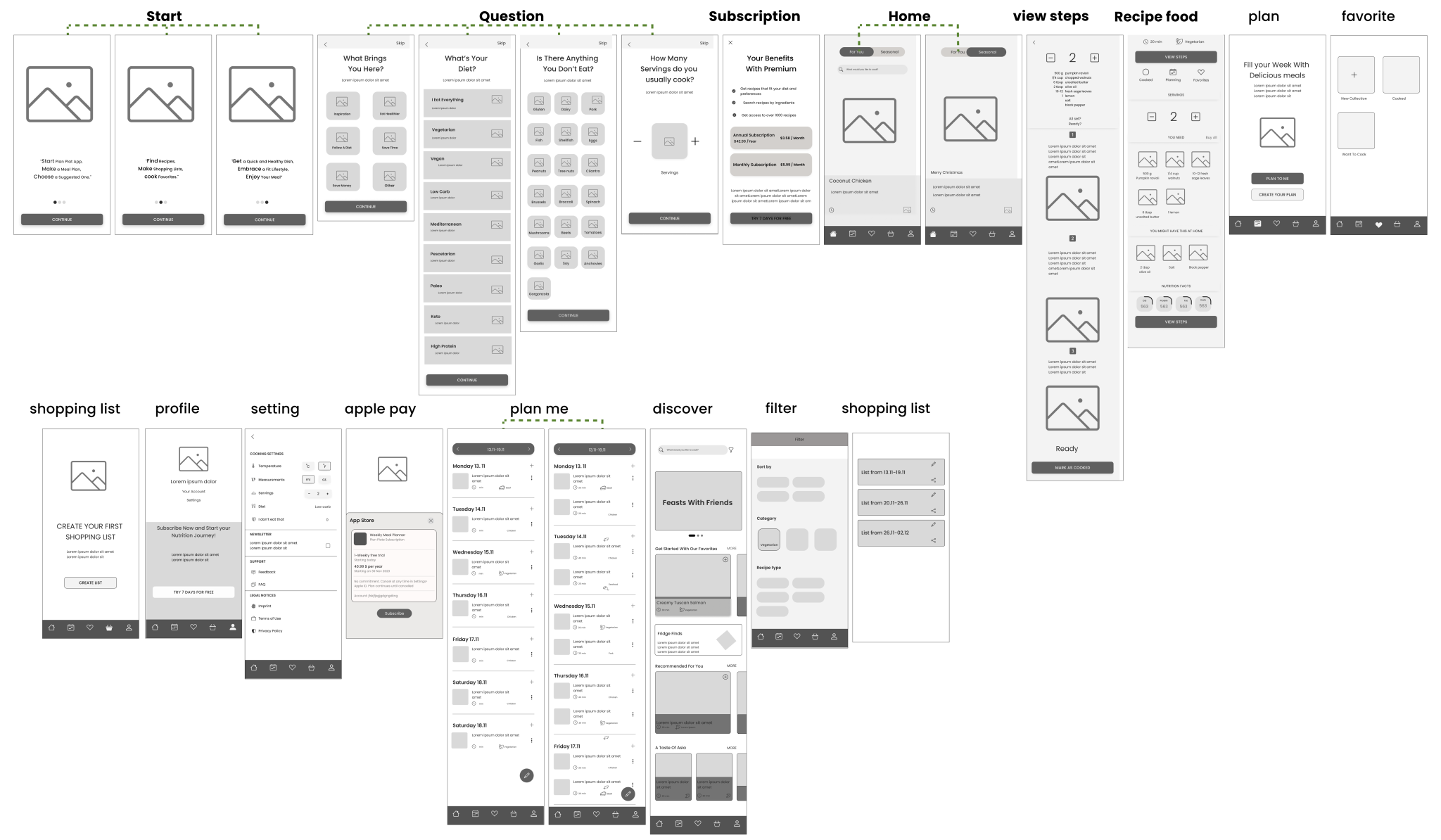
Finally, we created mid-fidelity designs to outline a vision for

the app’s layout. This stage involved iteration.

Challenges and Solutions

Solving Project


Challenges with Analysis and Innovative Solutions. In our project,

we addressed challenges with thorough research. Understanding them deeply,

we integrated innovative solutions into our design to overcome them effectively.

Challenge:

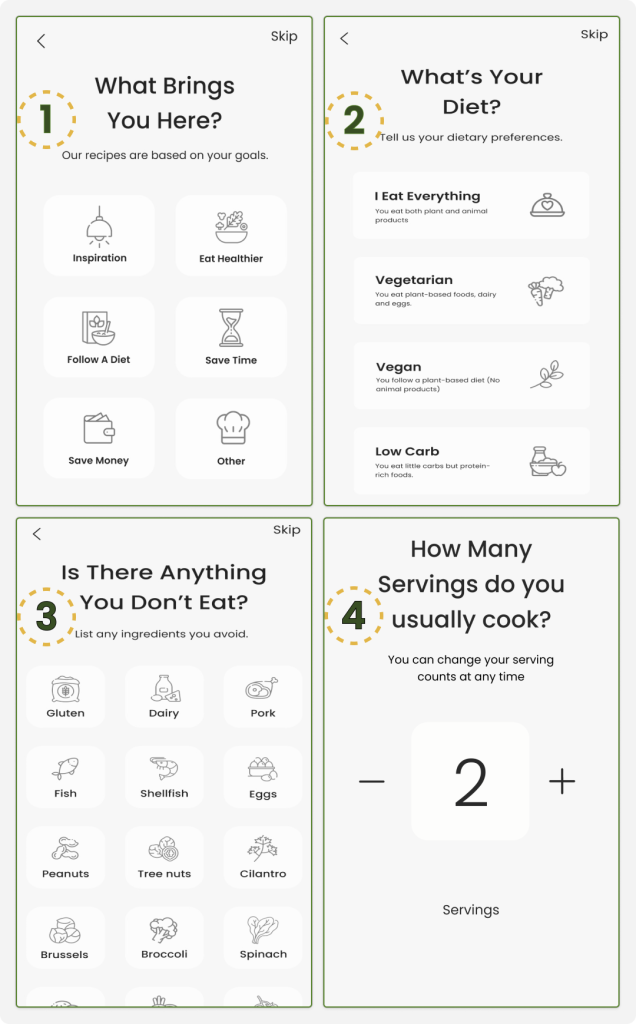
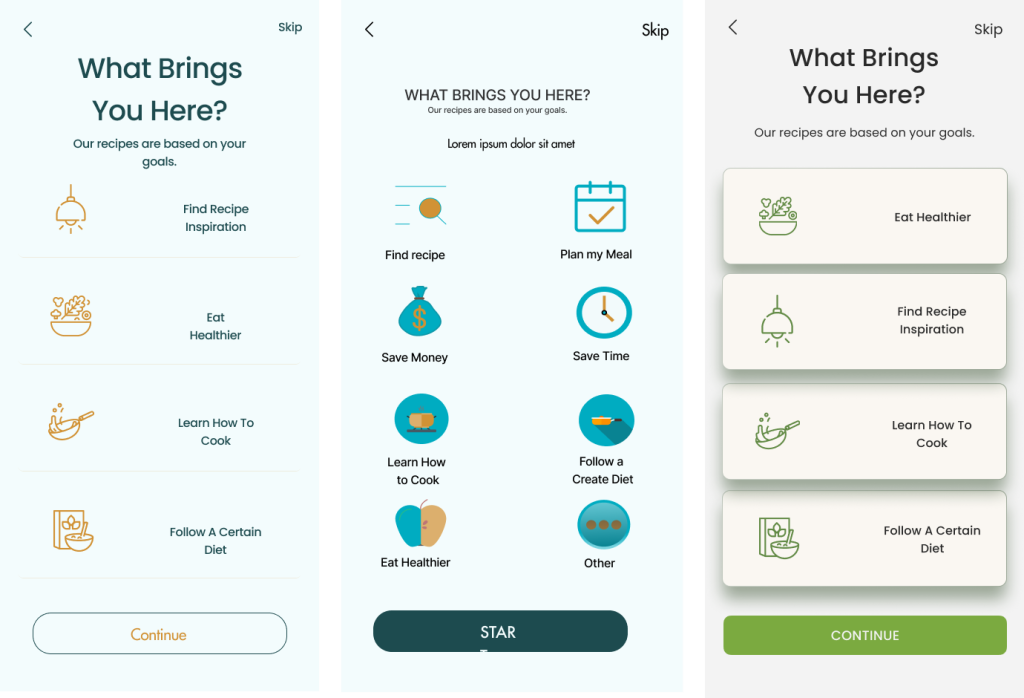
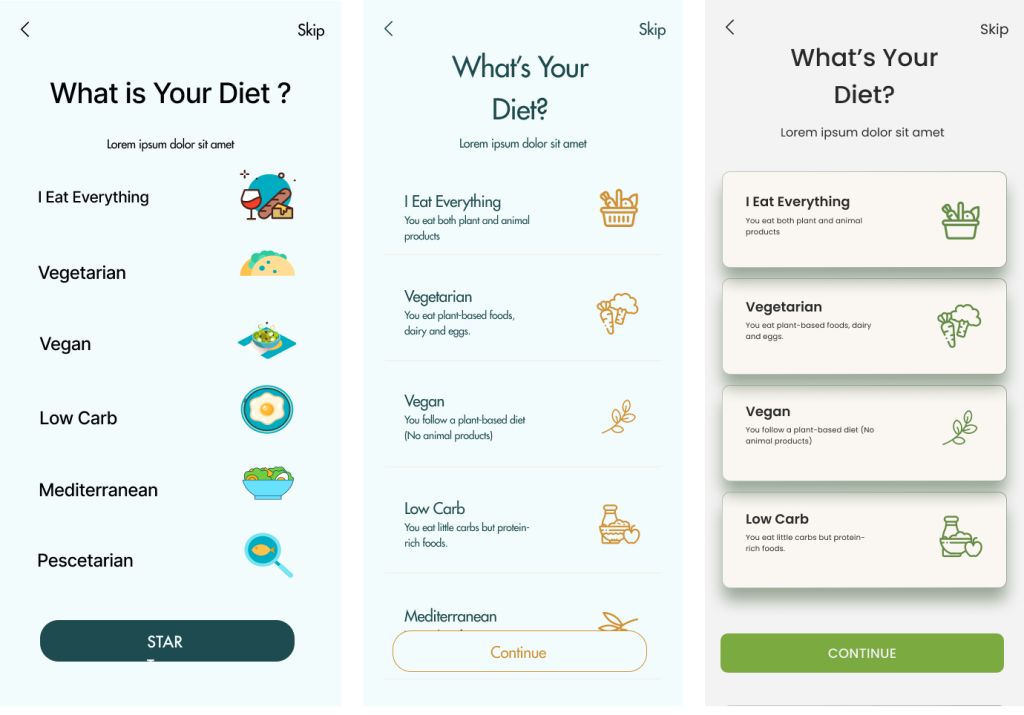
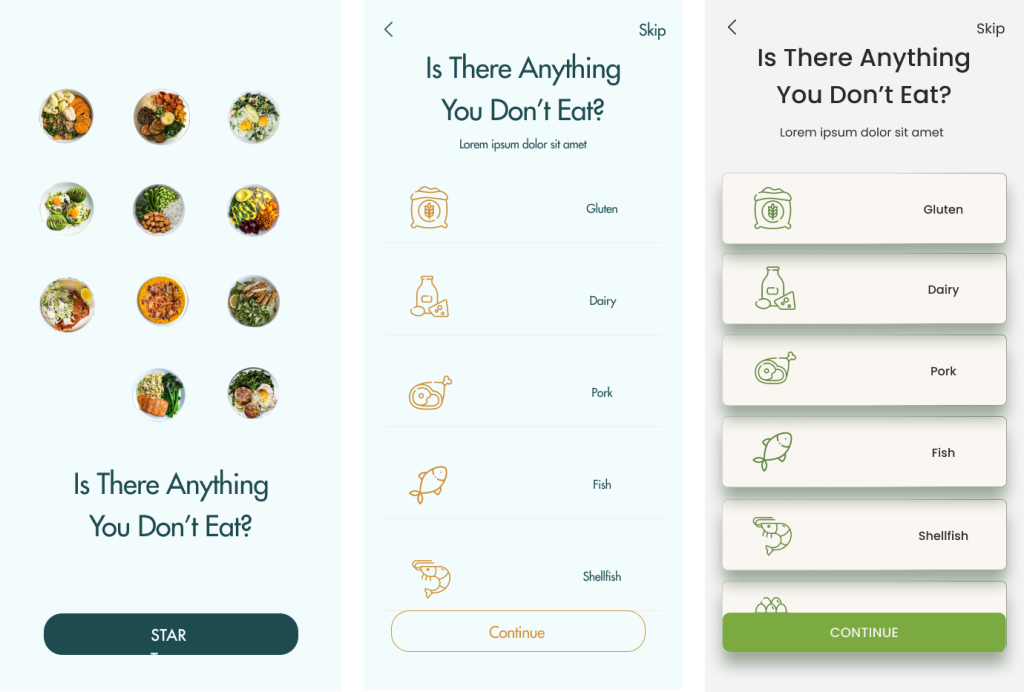
We initially struggled to create the app’s main filter. We needed to craft questions that were short, engaging, and comprehensive to meet user needs from the start. These questions had to fully capture the users’ primary needs so the recipes shown would be exactly what they needed.


Solution:

To address this, we revisited our interviews and competitive analysis to better understand our users’ primary needs. We listed their motivations, dietary preferences, allergens, and food dislikes. This thorough insight allowed us to develop a solution that adjusts recipe servings and ingredients, customizing the app to fit individual preferences.


Challenge:

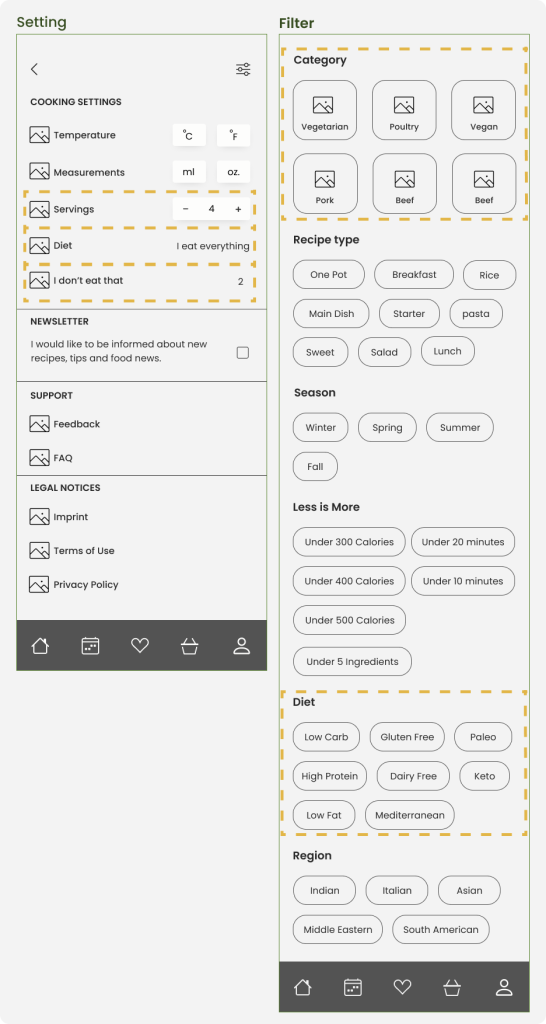
Once users set the initial main filters in the app, these filters are no longer visible to them, raising concerns about how they could modify these settings later if their preferences change.


Solution:

We addressed this by placing these main filters within the settings area, alongside other filters and options, allowing for easy modifications. Users can now access and adjust their filter preferences directly from their profile or the main pages of the site, ensuring flexibility and control over their app experience.

Challenge:

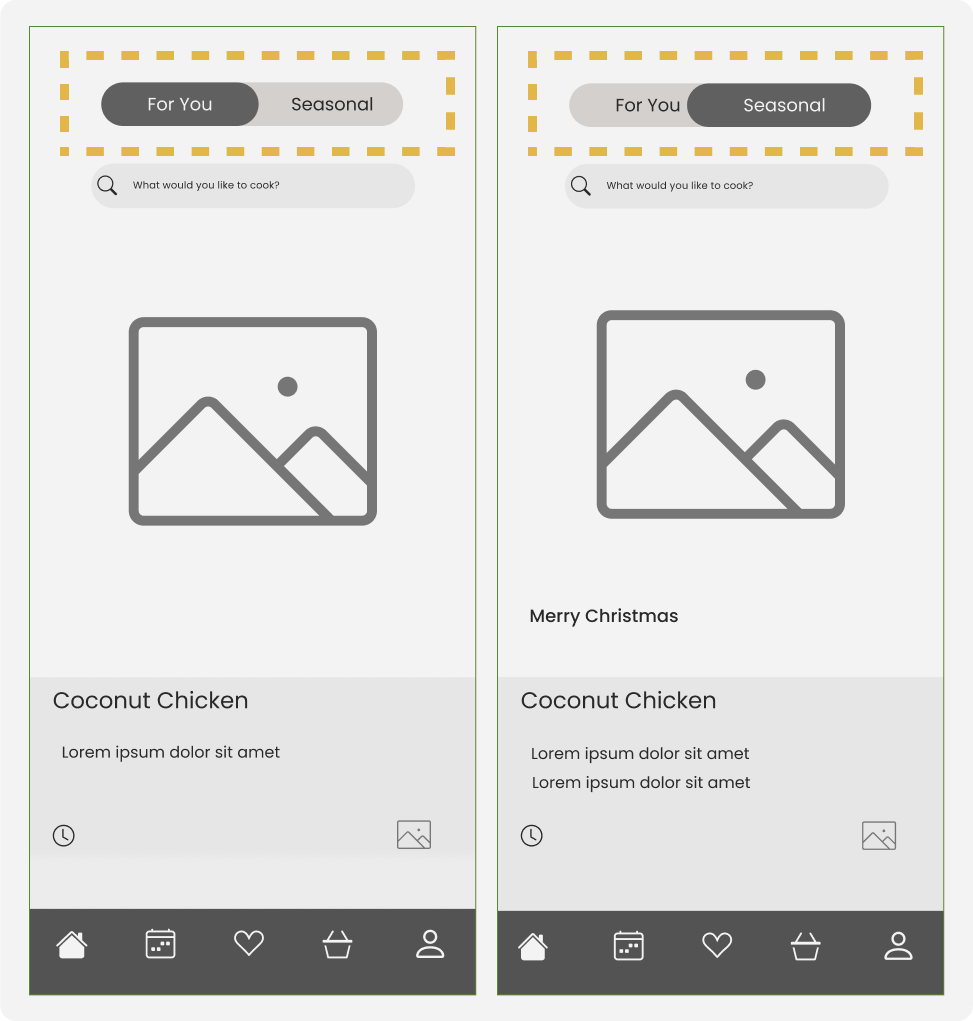
Separating suggested recipes from seasonal recipes on the home Page, independent of weekly meal plans.


Solution:

Enabling Quick Navigation through Designing a Button at the Top of the Home Page.

Challenge:

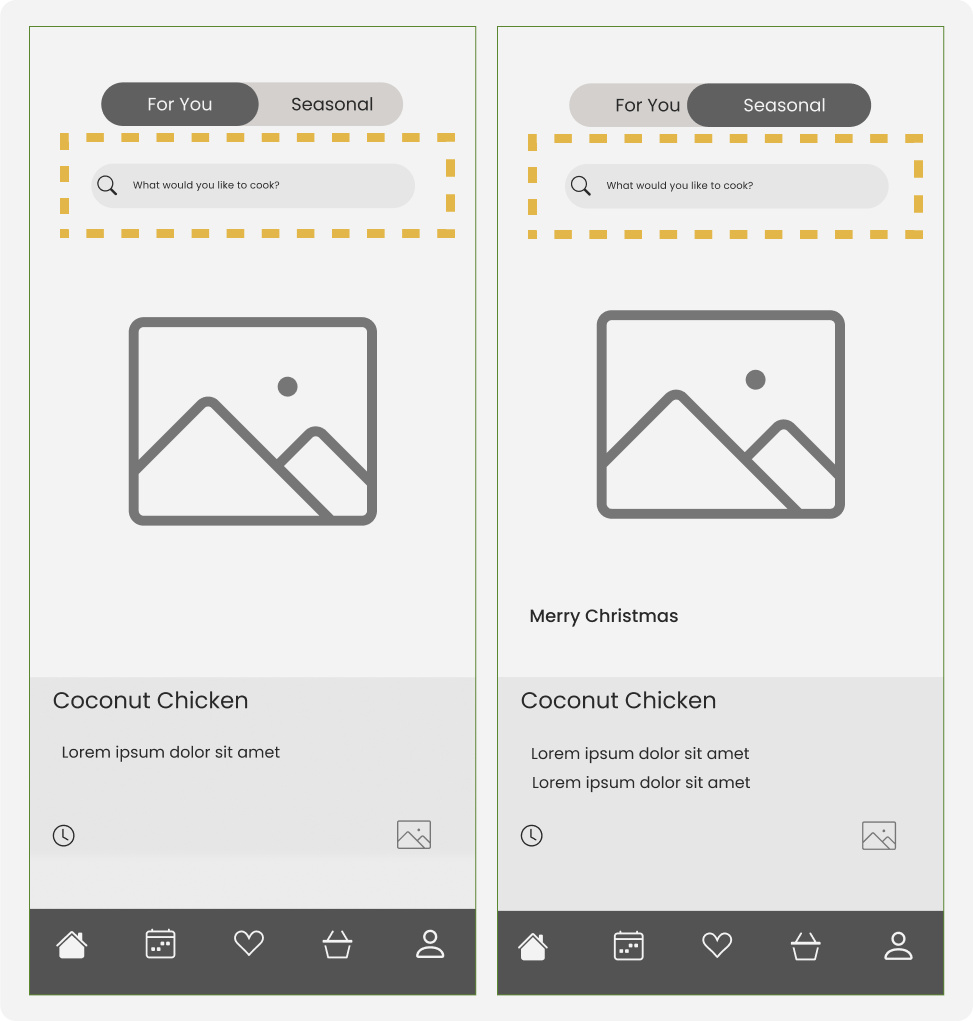
Make it fast and easy for users to find recipes or search by ingredients.


Solution:

It was important for us to allow users to quickly and easily search for their desired recipes or ingredients they have on the homepage. We designed a search box on the homepage for this purpose.

Challenge:

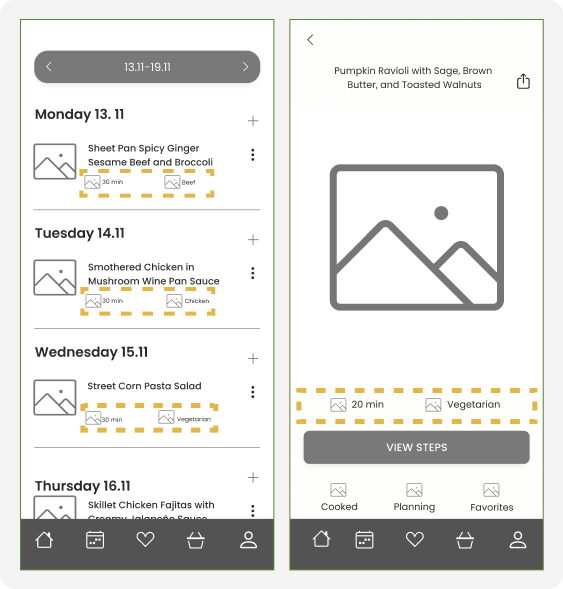
A significant challenge was ensuring that users could see the preparation time for the recipes they wanted, enabling them to plan accordingly. Additionally, it was important for users to know the type of diet each recipe adhered to.


Solution:

In response, our solution was to display the preparation time and the diet for each recipe, whether on the main page or as part of the weekly meal plan. This information is prominently shown at the bottom of each recipe, allowing users to easily identify and plan meals that fit their schedule and dietary preferences.

Challenge:

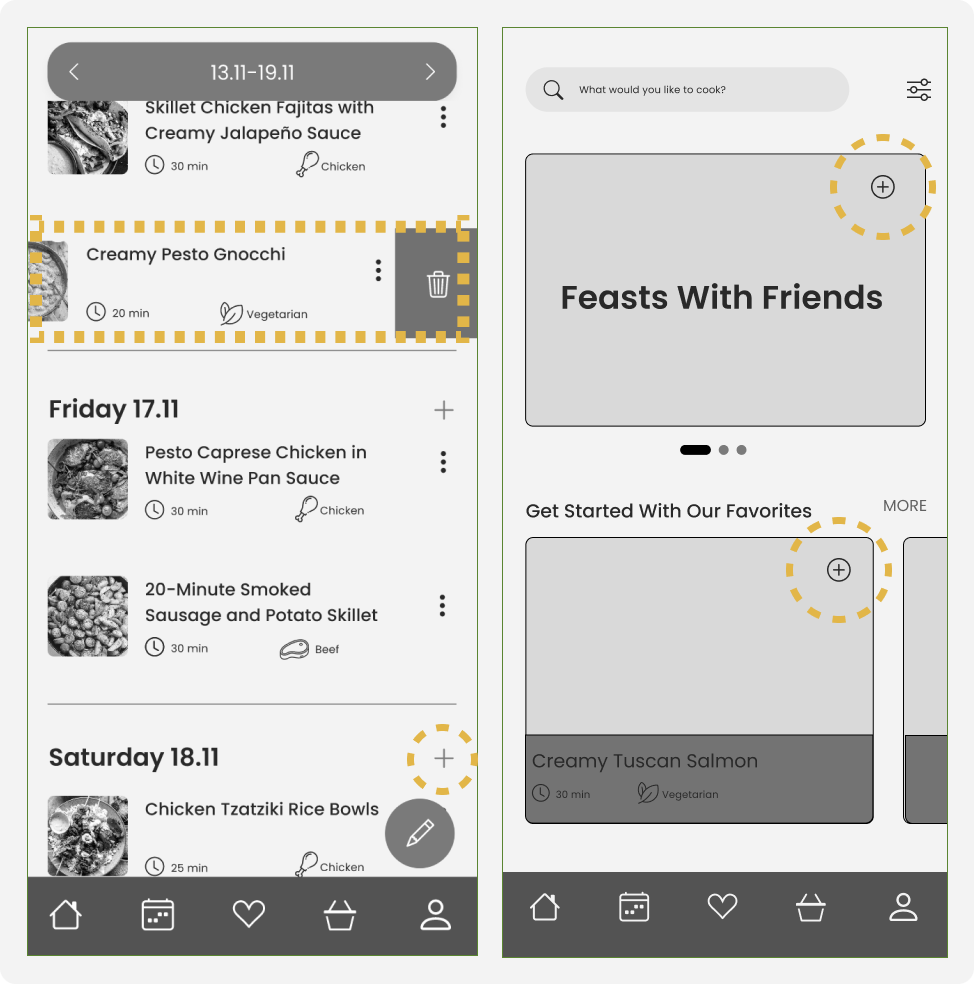
Users receive their weekly meal plan and want to replace a dish they don’t like with an alternative.


Solution:

Allowing users to delete unwanted dishes and discover suggested recipes based on their previous filters, to add their preferred recipe to their weekly meal plan.

 UI Design Direction

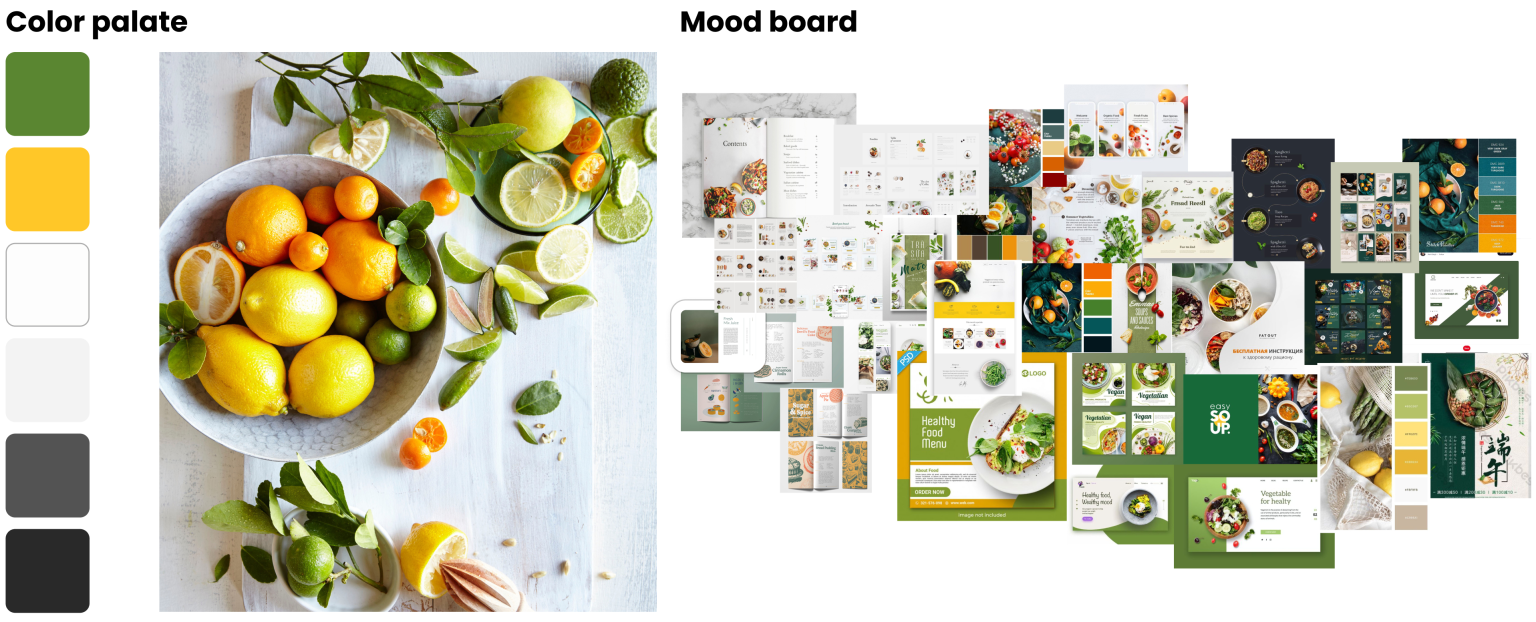
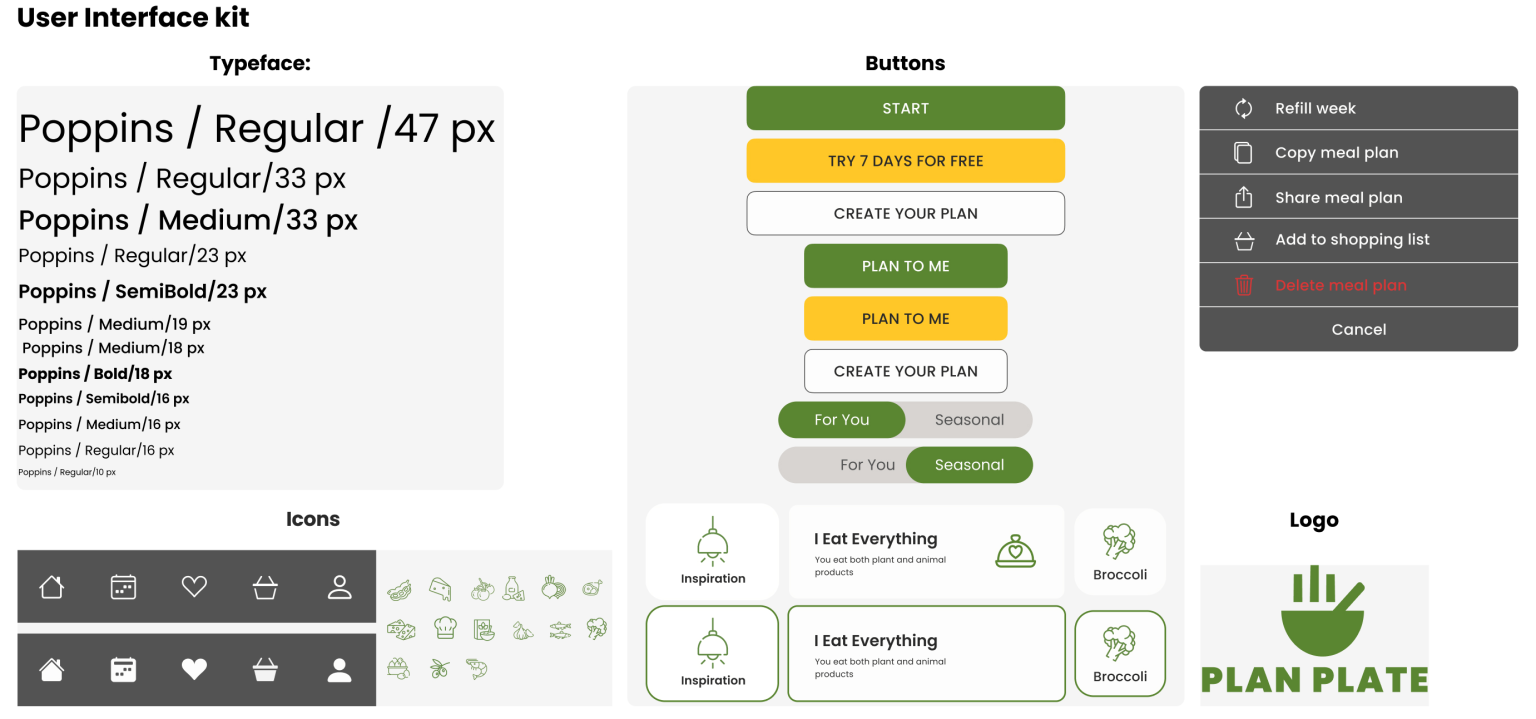
To design a high-fidelity interface for Plan Plate, we start by creating a mood board

that reflects the main goals and desired feelings as outlined by stakeholders.

This helps us establish the visual direction and overall aesthetic of the interface.

Deliver

Design Iteration

The initial pages’ layout and design were iterated several times until the final version was approved,

but this process of iteration will continue in the future.

Final

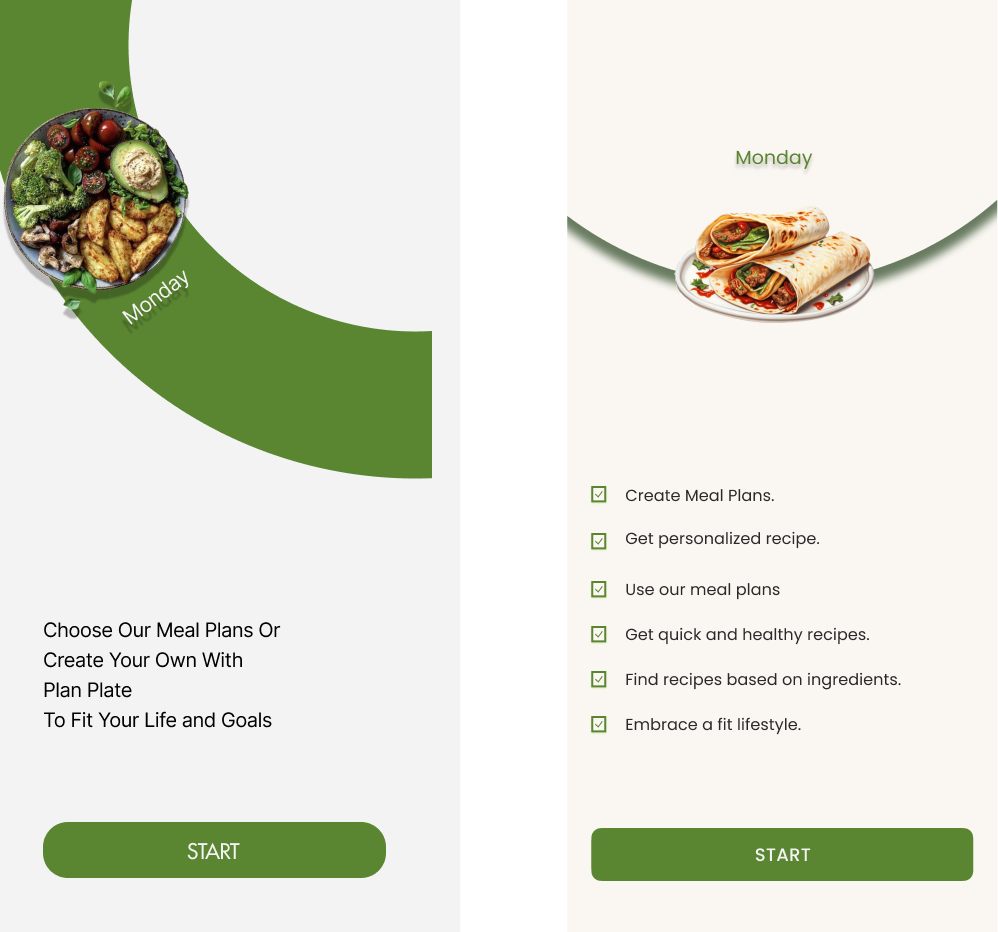
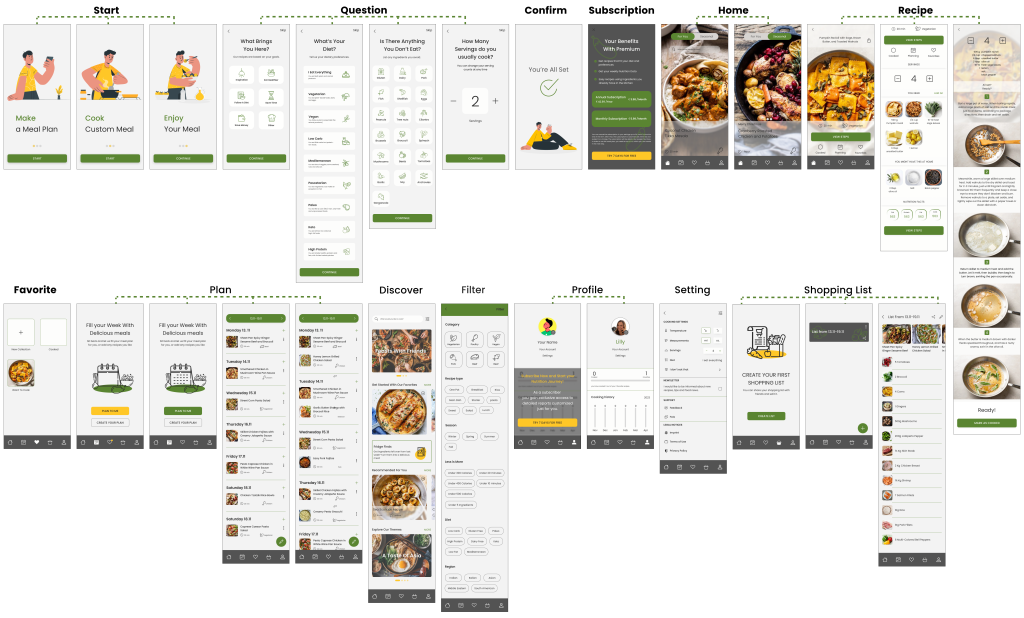
High Fidelity Wireframe

Although the design process is always evolving based on changing human behavior and needs, we have decided that this prototype marks our “Done” point. It showcases what we have achieved through our design efforts.

Reflections

What did I learn?

  • Teamwork and task sharing among teammates are very important.
  • User research and its methods are crucial for making the app user-friendly.
  • Testing and iterating during and after app design are highly important.

What can we do next?

  • Adding a search feature based on ingredients users have in their fridge.
  • Including a short video in the recipe view steps to illustrate the cooking process.
  • Enabling users to view stores that have ingredients from their shopping list, along with prices.